118
Shooting Functions
4
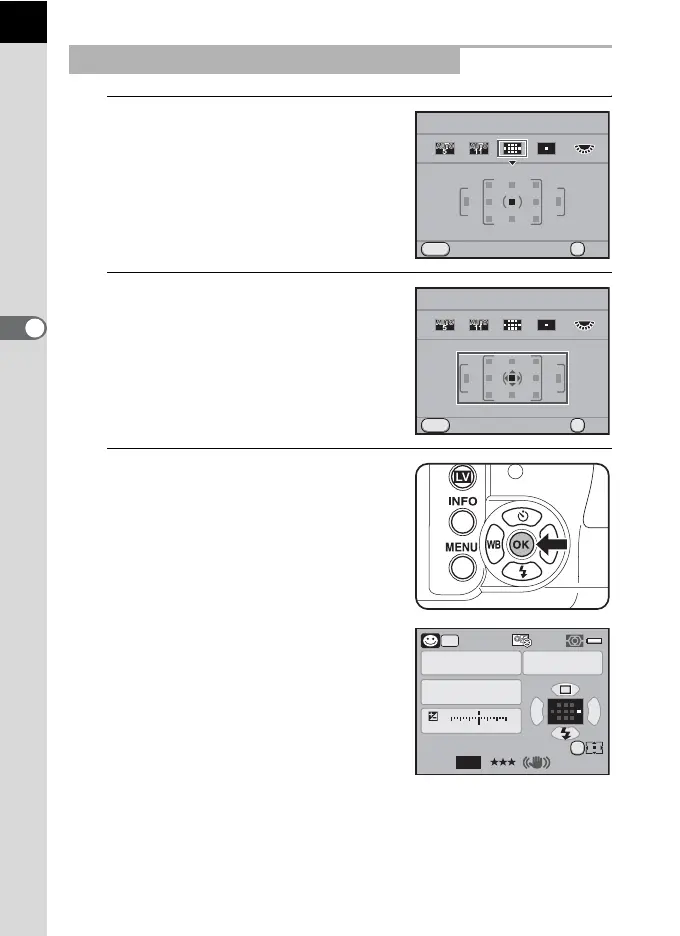
1
Set the AF point to S and press
the four-way controller (3).
2
Use the four-way controller
(2345) to change the AF
point.
3
Press the 4 button.
The camera is ready to take a picture.
The selected AF point appears in the
status screen.
Setting the Focus Position in the AF Frame
MENU
OK
OKCancel
Select AF Point
OK
MENU
Cancel
Select AF Point
OK
AF.A
1/
ISO
ISO
AUTO
20 5.6F
1122+3-3
AWB
12M
[
37
]
JPEG
800
AUTO
PICT
OK



 To Next Page