95
Shooting Functions
4
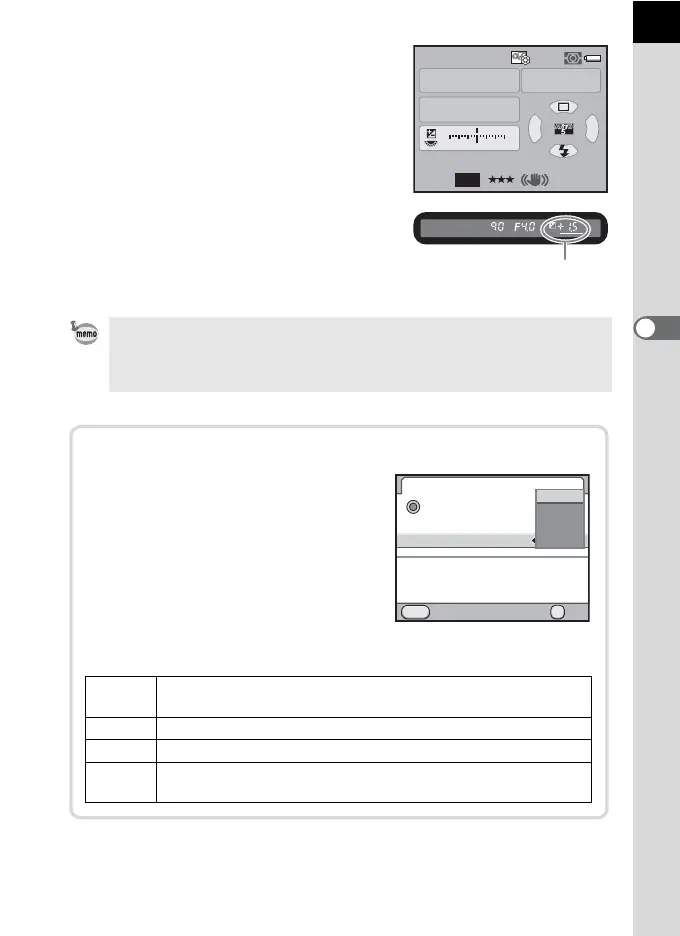
The EV compensation value is
displayed in the status screen and
viewfinder.
• EV compensation value can be set in increments of 1/3 EV or 1/2 EV. Set the
exposure steps in [1. EV Steps] of the [A Custom Setting 1] menu. (p.108)
• The proper exposure may not be obtained with the selected shutter speed
and aperture value when the sensitivity is not set to [AUTO] (p.90).
P
AF.A
1/
ISO
ISO
AUTO
125 5.6F
1122+3-3
AWB
12M
[
37
]
200
JPEG
EV compensation value
e-dial in Program
You can set the action for the e-dial when
turned in
e
mode. Set in [Green Button] of
the [
A
Rec. Mode 4] menu. (This
operation is available only when [Green
Button] is assigned to the
|
(Green)
button.) (p.179)
If the
|
(Green) button is pressed after
turning the e-dial, the camera returns to
e
mode.
P SHIFT
Automatically adjusts the shutter speed and aperture value to
obtain the proper exposure (Program shift). (default setting)
b Sets the shutter speed.
c Sets the aperture value.
OFF
Disables the e-dial operation when Program Automatic
Exposure is set.
MENU
OK
Tv
Av
OFF
P SHIFT
OK
Green Button
Action in M Mode
Green Button
e-dial in Program
Shifts combination of the
Cancel
aperture and shutter speed
to obtain proper exposure



 To Next Page