86
Shooting Functions
4
1
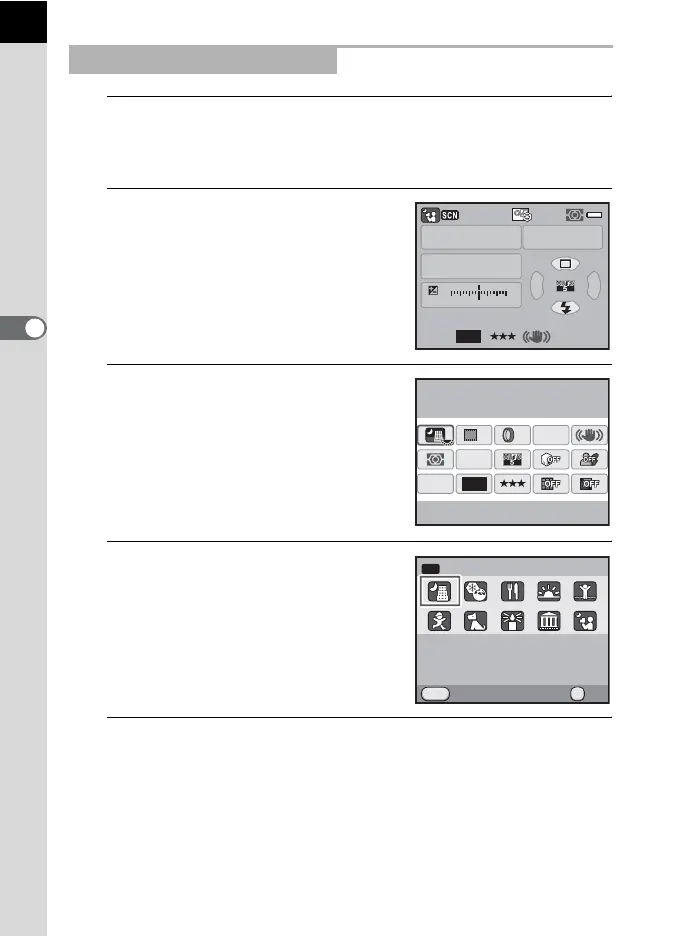
Set the mode dial to H.
The scene mode status screen appears.
2
Press the M button.
The icon for the currently selected
shooting scene appears in the control
panel.
3
Use the four-way controller
(2345) to select [Scene
Mode] and press the 4
button.
The scene mode selection screen
appears.
4
Use the four-way controller
(2345) or e-dial to choose a
scene mode.
5
Press the 4 button.
The camera returns to the control panel and is ready to take a picture.
Selecting a Shooting Scene
AF.A
1/
ISO
ISO
AUTO
15 4.0F
1122+3-3
AWB
12M
[
123
]
JPEG
1600
12M
[
37
]
10:30AM
JPEG
HDR
OFF
OFF
AF.A
OFF
10/10/’09
Scene Mode
Night Scene
OK
MENU
SCN
Cancel
Used for night scenes.
OK
Use a tripod, etc. to
prevent shaking
Night Scene



 To Next Page