195
Shooting Settings
6
2
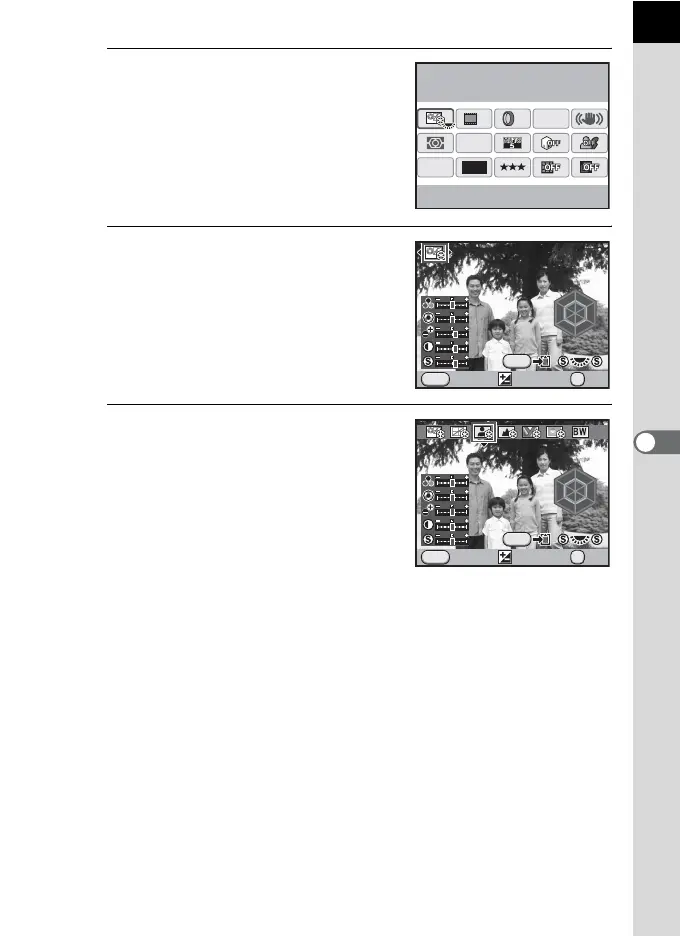
Use the four way controller
(2345) to select a custom
image and press the 4 button.
The [Custom Image] screen appears.
After the power is turned on, the last
image taken is displayed in the
background.
3
Use the four-way controller (45)
to select an image tone.
4
Use the four-way controller (23)
to choose an item you want to
change.
When Image Tone is set to
[Monochrome], you can change the
settings for Filter Effect, Toning, Contrast,
and Sharpness.
12M
[
37
]
10:30AM
JPEG
HDR
OFF
OFF
AF.A
OFF
10/10/’09
Custom Image
Bright
MENU
R
Y
G
C
B
M
R
Y
G
C
B
M
F
INFO
OK
OK
Bright
Cancel Check
MENU
R
Y
B
M
R
Y
B
M
F
INFO
CC
GG
OK
OK
Portrait
Cancel Check



 To Next Page