258
Changing Additional Settings
9
4
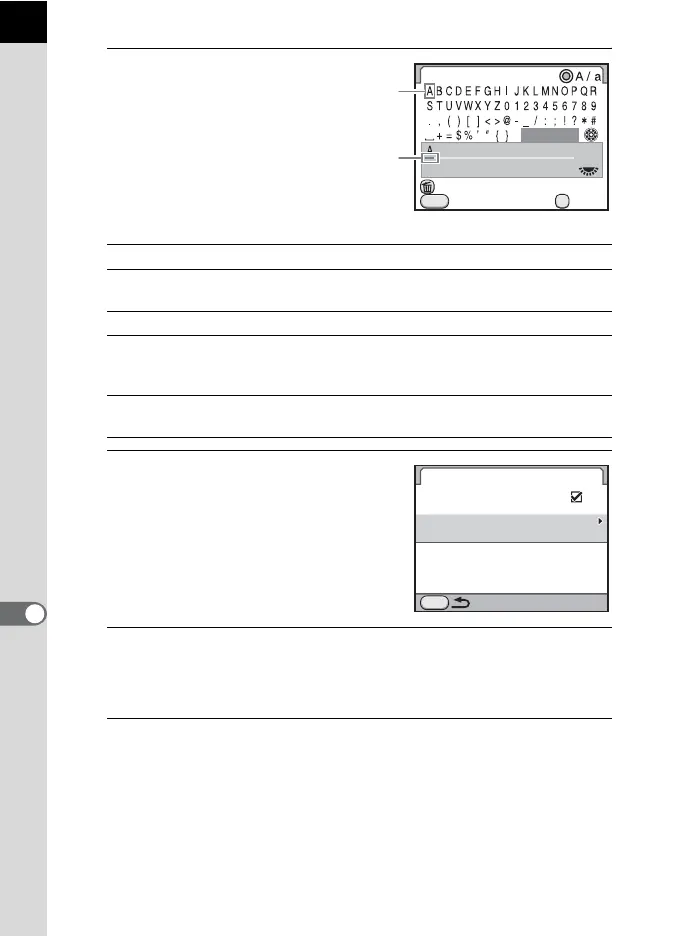
Enter the text.
Available operations
5
After entering the text, move the
text selection cursor to [Finish]
and press the 4 button.
The camera returns to the [Copyright
Information] screen.
6
Use the four-way controller (23) to select [Copyright
Holder] and enter the text in the same way as
[Photographer].
7
Press the 3 button twice.
The screen that was displayed before selecting the menu appears again.
e-dial Moves the text input cursor.
Four-way controller
(2345)
Moves the text selection cursor.
| (Green) button Switches between upper and lower case letters.
4 button Enters a character selected with the text
selection cursor at the position of the text input
cursor.
K/i button Deletes a character at the position of the text
input cursor.
Photographer
Cancel
Delete One Character
Enter
Finish
OK
MENU
Text selection
cursor
Text input
cursor
Copyright Information
Embed Copyright Data
Photographer
AAAA
Copyright Holder
MENU



 To Next Page