2015-07
22
OPC / OPD / OPE
Installation
Setting the IP Address of the PC (Windows 7)
1. Select Start > Control Panel.
2. Select Network and Sharing Center.
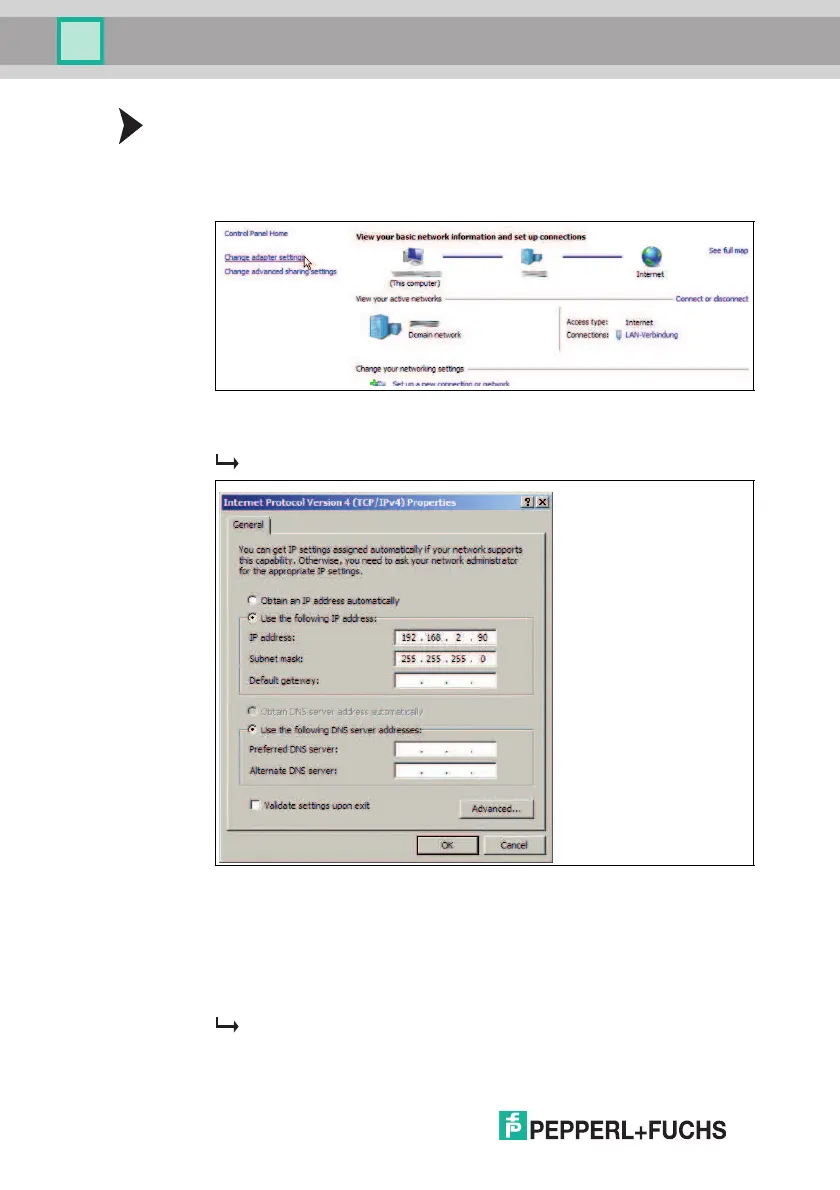
3. Select Change Adapter Settings.
4. Right-click the required connection and select Properties.
5. Select Internet Protocol Version 4 (TCP/IPv4) and click Properties.
The Properties window for the TCP/IP protocol opens.
6. Select Use the Following IP Address.
7. Enter an IP address where the first three segments are identical to those of
the IP address for the sensor, e.g., 192.168.002.090. The last segment
must be different to the IP address of the sensor.
8. Enter 255.255.255.0 as the subnet mask.
9. Click OK and Close.
This completes the network configuration and the sensor can be used.



 To Next Page