OPC / OPD / OPE
Vision Configurator Software
2015-07
39
7.3.5 Window Tab
Four different tabs are available: Window 1 ... Window 4. Each tab has the same
layout.
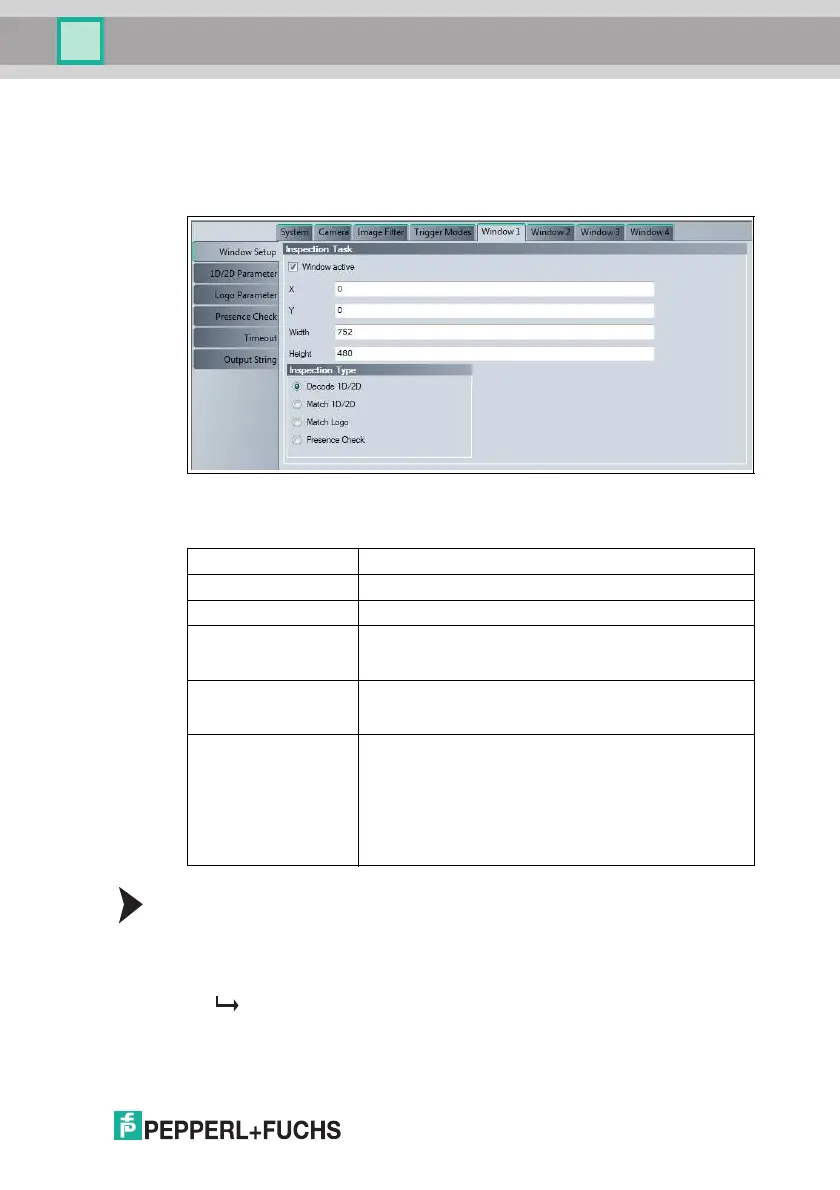
Figure 7.14 Window tab, Window Setup menu item
Inspection Task
Changing the Window Size and Window Position
You can change the window size and window position either in the tab or in the
image display itself.
1. Click on the frame of the window to be edited in the image display.
The frame is now displayed in bold.
2. To change the position of the frame, move the cursor toward the center of the
frame until it changes into a crosshair.
Window Tab, Window Setup Menu Item
Window active Activation of the window
X Top left position of the window in the X direction
Y Top left position of the window in the Y direction
Width Width of the window
The width of the window can be read in the image display at
the bottom left of the relevant window frame
Height Height of the window
The height of the window can be read in the image display at
the bottom left of the relevant window frame
Inspection Type Option to select whether a code is to be decoded or
compared, whether a taught-in image area is to be retrieved,
or whether presence monitoring is to be performed
■ Decode 1-D/2-D
■ Match 1-D/2-D
■ Match Logo
■ Presence Check



 To Next Page