2015-07
30
OPC / OPD / OPE
Vision Configurator Software
7.2.5 Administration Menu
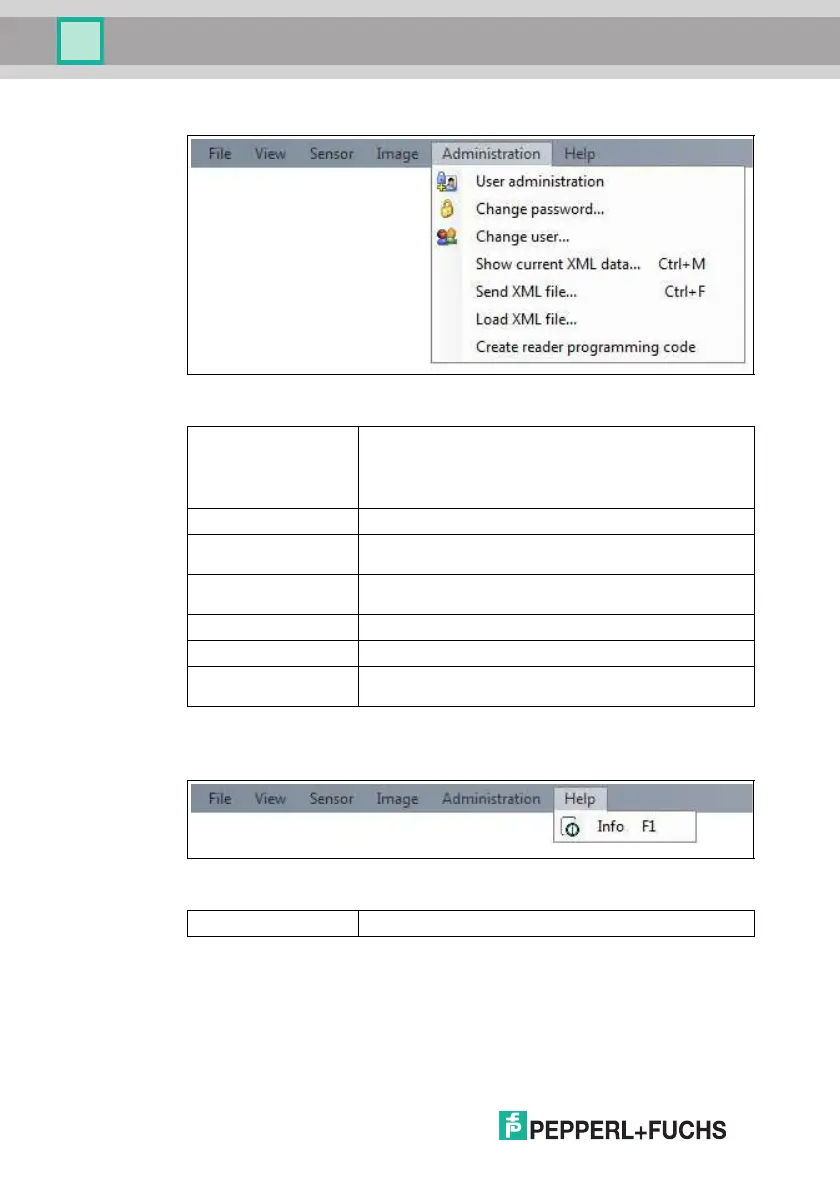
Figure 7.6 Administration menu
7.2.6 Help Menu
Figure 7.7 Help menu
User administration Opens a window which displays all the currently created
users at the same authorization level or lower. New users with
the same authorization level or lower can also be created and
deleted here. In addition, a user password can be reset to the
default password for the relevant user level.
Change password Changes the current user's password.
Change user The Login screen opens and a different user and/or sensor
can be selected.
Show current XML
data
Loads the current XML data from the sensor and displays it in
a separate window.
Send XML file... Saves the XML data on a computer.
Load XML file... Loads XML data from a computer.
Create reader
programming code
Enables the user to create control codes that can assign the
senso r a device name and an IP address.
Table 7.5 Administration menu
Info Displays information about Vision Configurator.
Table 7.6 Help menu



 To Next Page