OPC / OPD / OPE
Vision Configurator Software
2015-07
27
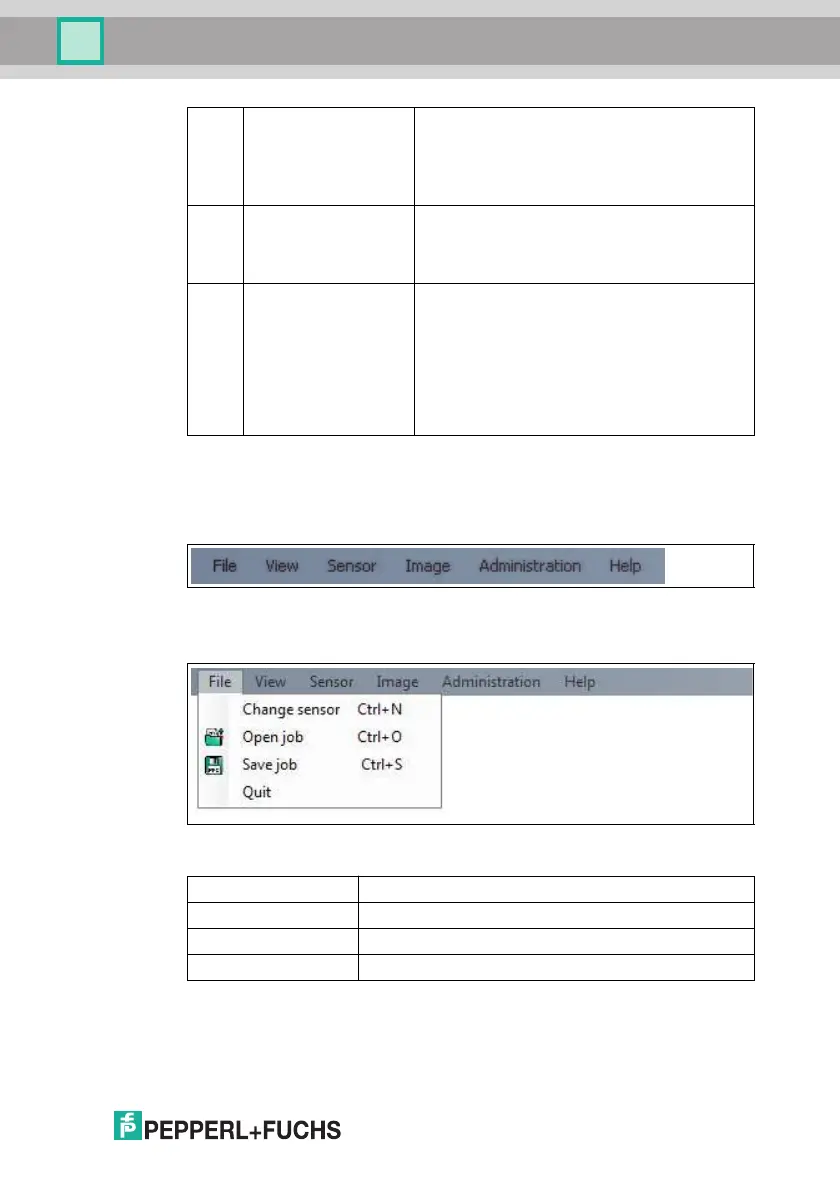
7.2 Menu Bar
The menu bar contains a list of menu items. The functionality depends on the type
of sensor that is connected and the permissions of the user logged in.
Figure 7.1 Men u Bar
7.2.1 File Menu
Figure 7.2 File menu
9 Results area ■ Displays results from the sensor
■ A varying number of tabs can be displayed
depending on which sensor is connected
■ This field can be enabled or disabled via Show
results
10 Image display ■ Displays the images captured or stored in the
error memory
■ This field can be enabled or disabled via Show
images
11 Tab Displays information about the current image and
the pixel under the mouse pointer. The following
items are displayed:
■ Image size
■ Zoom level
■ Mouse position in image coordinates
■ Current grayscale value
■ Image number
Change sensor Disconnects the sensor and returns to the Login dialog.
Open job Loads a sensor configuration stored on the PC.
Save job Saves the current sensor con figuration on the PC.
Quit Terminates the program.
Table 7.1 File Menu



 To Next Page