2015-07
28
OPC / OPD / OPE
Vision Configurator Software
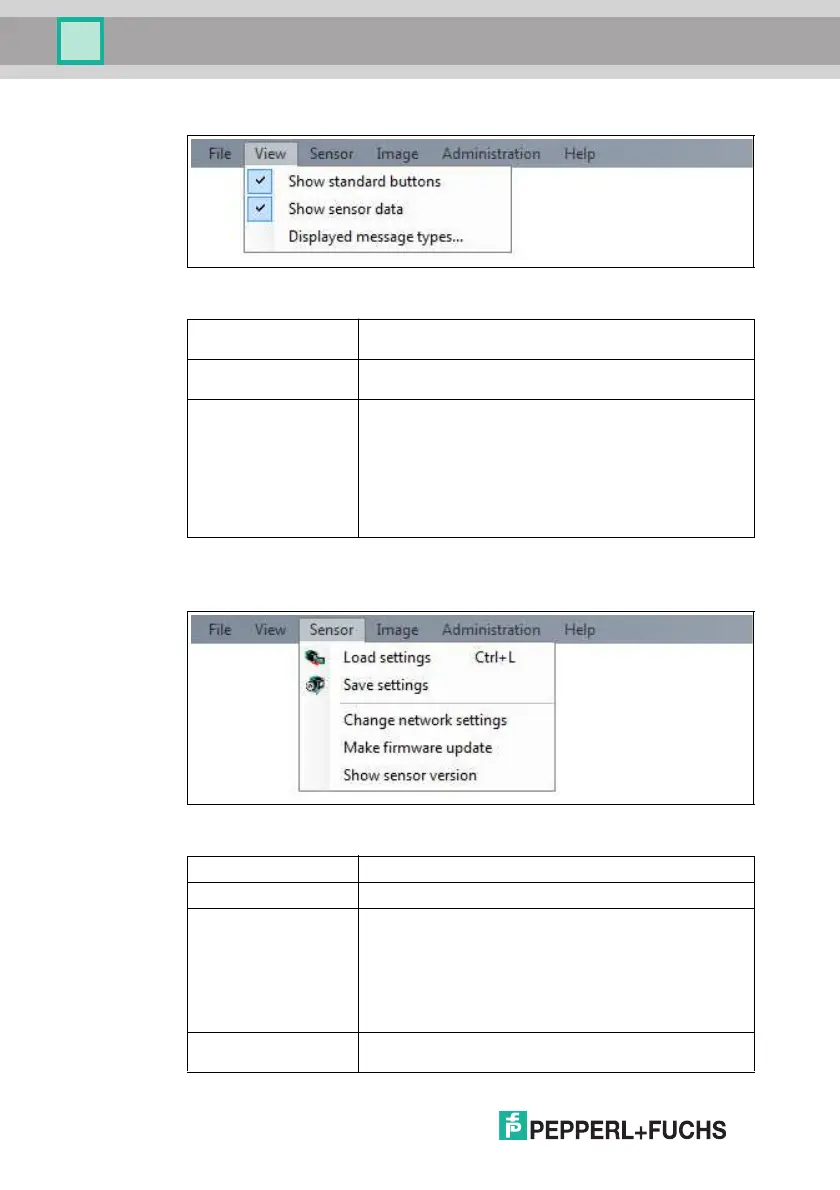
7.2.2 View Menu
Figure 7.3 View menu
7.2.3 Sensor Menu
Figure 7.4 Sensor menu
Show standard
buttons
Toggles the display of the buttons in the bar on the left on and
off.
Show sensor data Hides the output of the sensor data in the top right of the
screen.
Displayed message
types
This item enables you to specify which types of message are
to be output by the sensor. Output messages of the selected
types are displayed in the Sensor output column on the
right.
Info: Inform ation is displayed
Warning: Warnings are displayed
Error: Errors are output
Critical: Serious errors are output
Assert: Internal errors are displayed
Table 7.2 View menu
Load settings... Loads the saved settings from the sensor
Save settings... Saves the settings to the sensor
Change network
settings...
If the sensor is connected to the PC via Ethernet, this
command enables you to change some of the connection
settings on the sensor. Once you have changed them, the
connection between Vision Configurator and the sensor is
automatically disconnected. If required, change the network
address to the newly allocated IP and reconnect Vision
Configurator to the sensor. Press the Connect button to open
the Login screen again.
Make firmware
update...
Performs firmware updates. This command should be used
by experienced users only.



 To Next Page