2015-07
40
OPC / OPD / OPE
Vision Configurator Software
Hold down the mouse button and drag the frame to the required position,
and then release the mouse button.
3. To change the size of the frame, move the cursor to one of the corners of the
frame until it changes into a double arrow.
Hold down the mouse button and drag the frame to the required size, and
then release the mouse button.
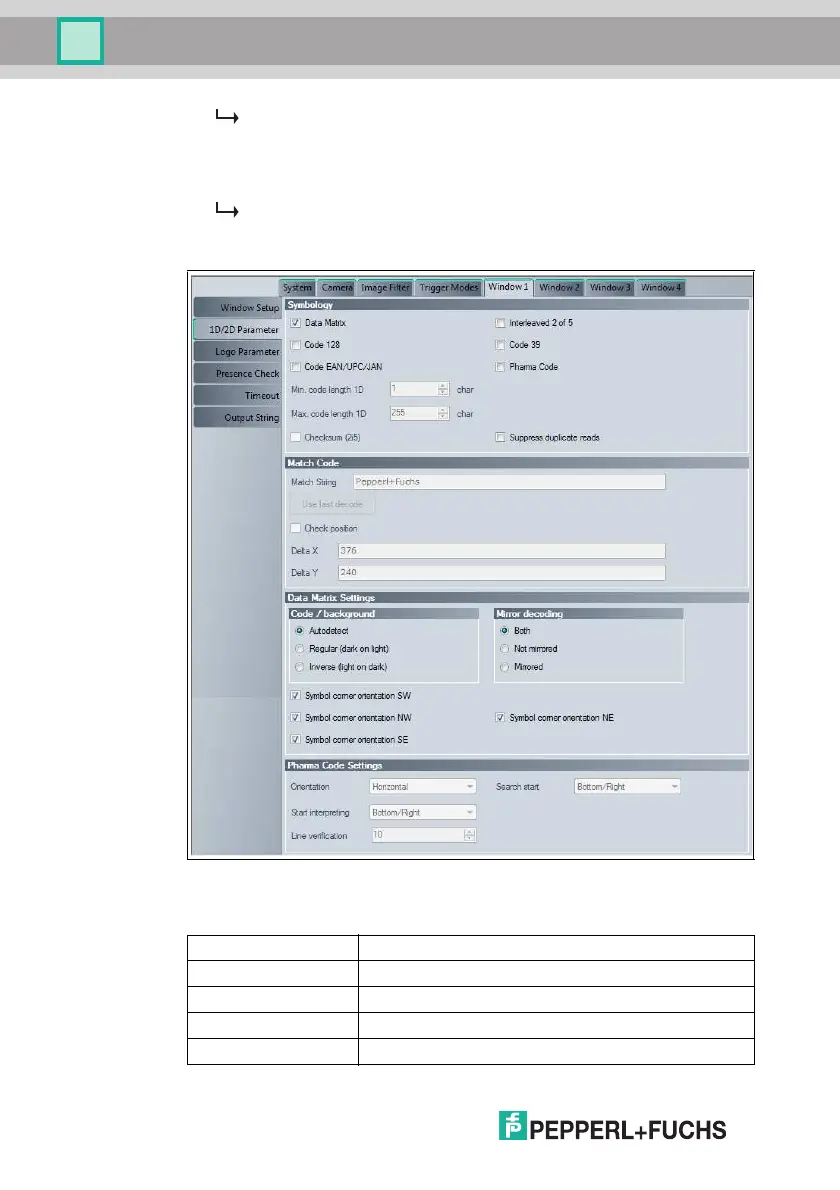
Figure 7.15 Window tab, 1D/2D Parameter menu item
Symbology
Window Tab, 1D/2D Parameter Menu Item
Data Matrix Activates or deactivates reading of Data Matrix codes
Interleaved 2 of 5 Activates or deactivates reading of interleaved 2 of 5 codes
Code 128 Activates or deactivates reading of code 128 codes
Code 39 Activates or deactivates reading of code 39 codes
Code EAN/UPC/JAN Activates or deactivates reading of EAN/UPC/JAN codes



 To Next Page