OPC / OPD / OPE
Vision Configurator Software
2015-07
35
Expansion Filter Settings
Enable filter Enables or disables expansion of the modules, i.e., the points
used to generate the code. This allows modules of
needlepunched codes to be expanded so that they can be
read more reliably. However, using this filter increases the
evaluation time.
Filter type ■ Closing : Fills gaps between light or dark areas depending
on the setting
■ Dilation : Magnifies light or dark areas depending on the
setting
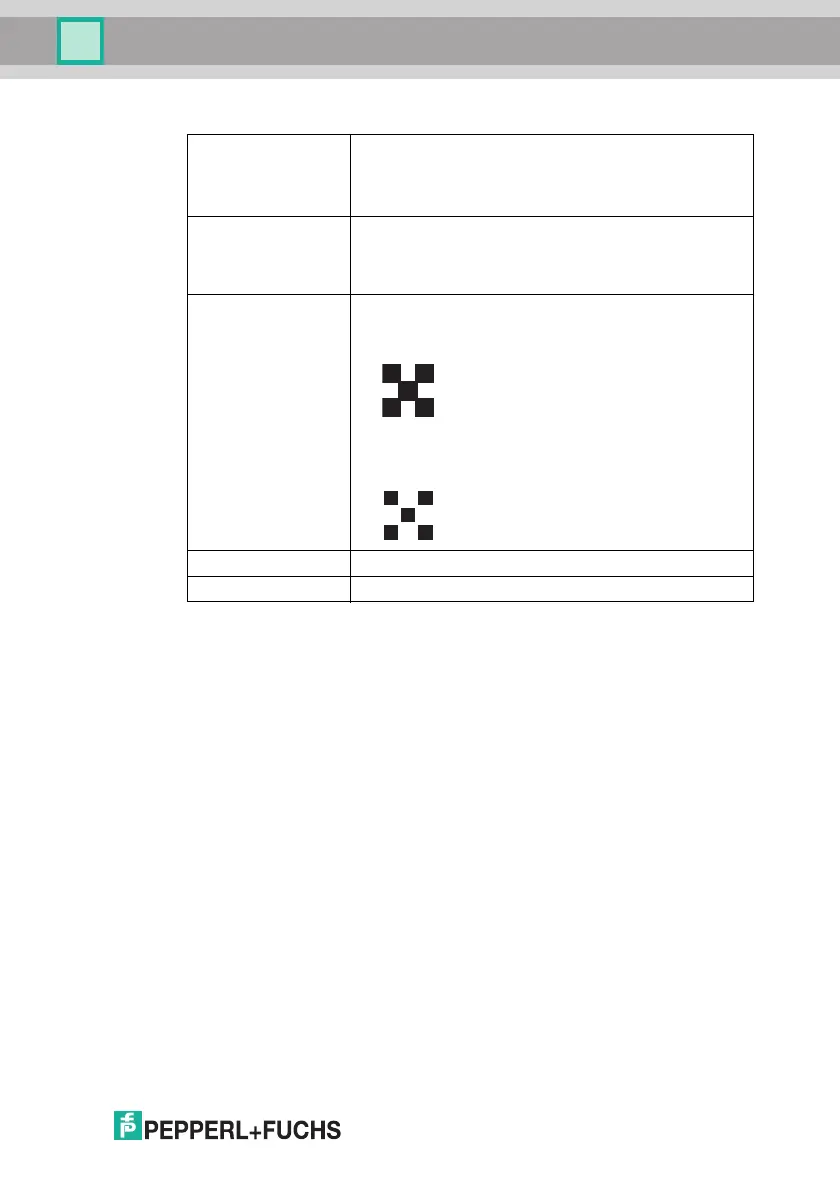
Foreground ■ Dark pixel: The settings under Filter type relate to dark
areas.
For example, if Dilation is selected, dark areas are
expanded, shrinking the surrounding light areas.
■ Light pixel: The settings under Filter type relate to light
areas.
For example, if Dilation is selected, light areas are
expanded, shrinking the surrounding dark areas.
Filter size X Select the expansion factor in the X dire ction.
Filter size Y Select the expansion factor in the Y direction.



 To Next Page