OPC / OPD / OPE
Operation
2015-07
55
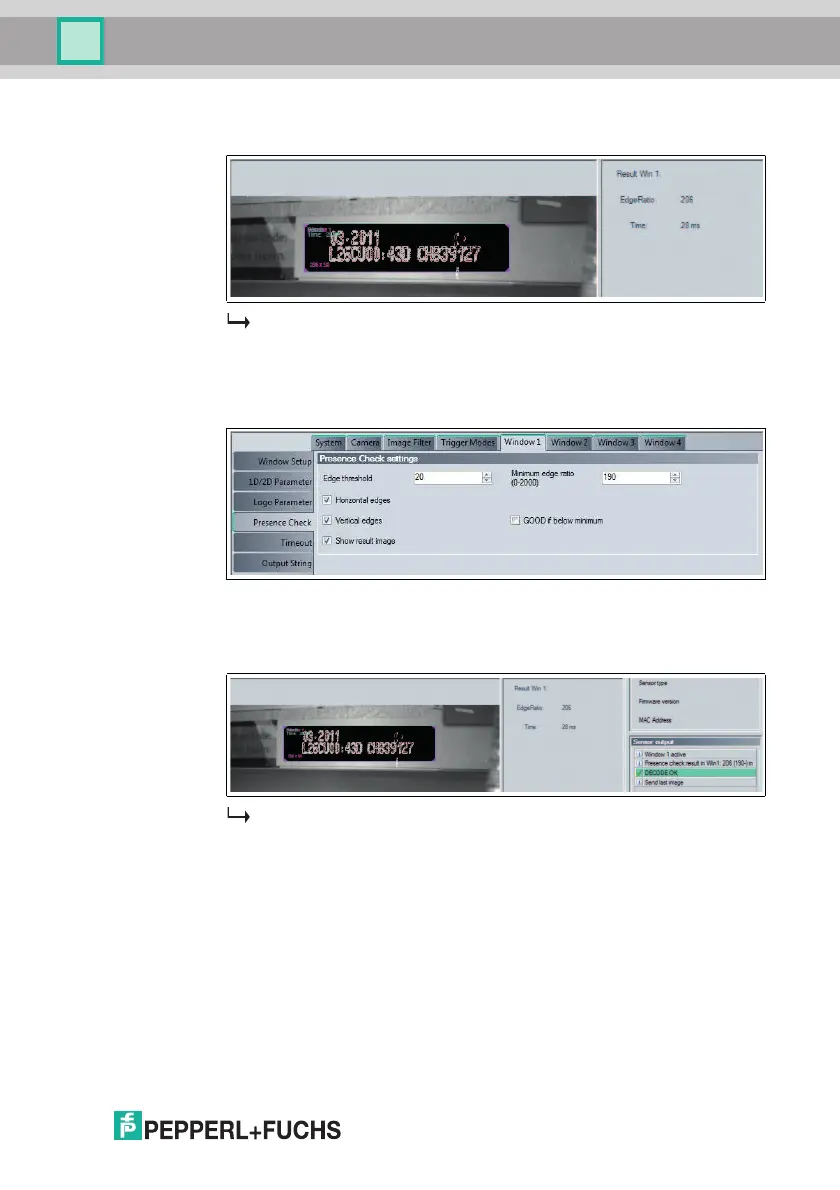
8. Enable Show result image under the Presence Check menu item in the
Window 1 configuration window, and click Trigger again.
The resulting image is shown in the image display. Edge transitions are
displayed in graphic form in the resulting image. The resulting value is shown
in the image display under Result Win 1.
9. Set the edge detection to be checked under Minimum edge ratio in the
Presence Check menu item in the Window 1 configuration window.
10. If the value read in is greater than the value entered under Minimum edge
ratio, DECODE OK is output. Conversely, if the result should be DECODE
OK when the value read in is lower than the value entered, enable the GOOD
if below minimum option.
The presence check is configured.



 To Next Page