86 . Spectrum 100 Series User’s Guide
7. Lift the main cover from the front.
8. Ensure the cover is fully open and retained by the stay.
9. Perform the necessary maintenance inside the instrument.
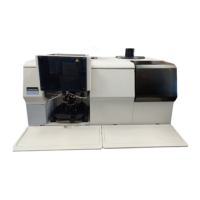
Figure 33 illustrates the primary component parts of a Spectrum 100 Series
spectrometer.
Figure 33 Spectrum 100 and 100N component parts
10. Close the cover.
11. Lock the two locking bolts by inserting the wrench into each bolt in turn and
rotating it opposite to the direction indicated by the arrows, in
Figure 32.
12. If required, reinstall the sampling accessory by sliding it on the ledge and pushing it
into the sample compartment until it engages with the connector.
13. If required, refit the sample cover by inserting the hinge into the grooves and
pushing the cover downwards until the clip engages.
14. Reconnect the power cable and switch the power back on.
15. If required change the desiccant (see page 70), and/or purge the instrument (see
page 76).
If the cover is left open for more than 1 hour, the desiccant should be replaced.
SourceSource Laser Laser
Power
Supply Unit
Power
Supply Unit
Filterwheel Filterwheel
Beamsplitter
hin
ffl
.
Beamsplitter
hin
ffl
.
Laser power
Laser power
Detector Detector


 To Next Page
 Loading...