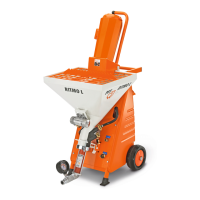
Mixing Pump PFT G4
Operation
40 2007-09-05
Pos: 6.10 /KN2006-Pr ojekte/Knauf/Bedien ung/Mischpumpe PFT G4/1. 1 Einschalten und in Betr ieb nehmen_Titel @ 36\ mod_1177339967392_2 93361.doc @ 445833
6.3 Switching on and starting up
Pos: 6.11 /KN2006-Pr ojekte/Knauf/Bedien ung/Mischpumpe PFT G4/1. 1 Einschalten und in Betr ieb nehmen @ 36\mod_11773 40180513_293361.d oc @ 445848
Switching on
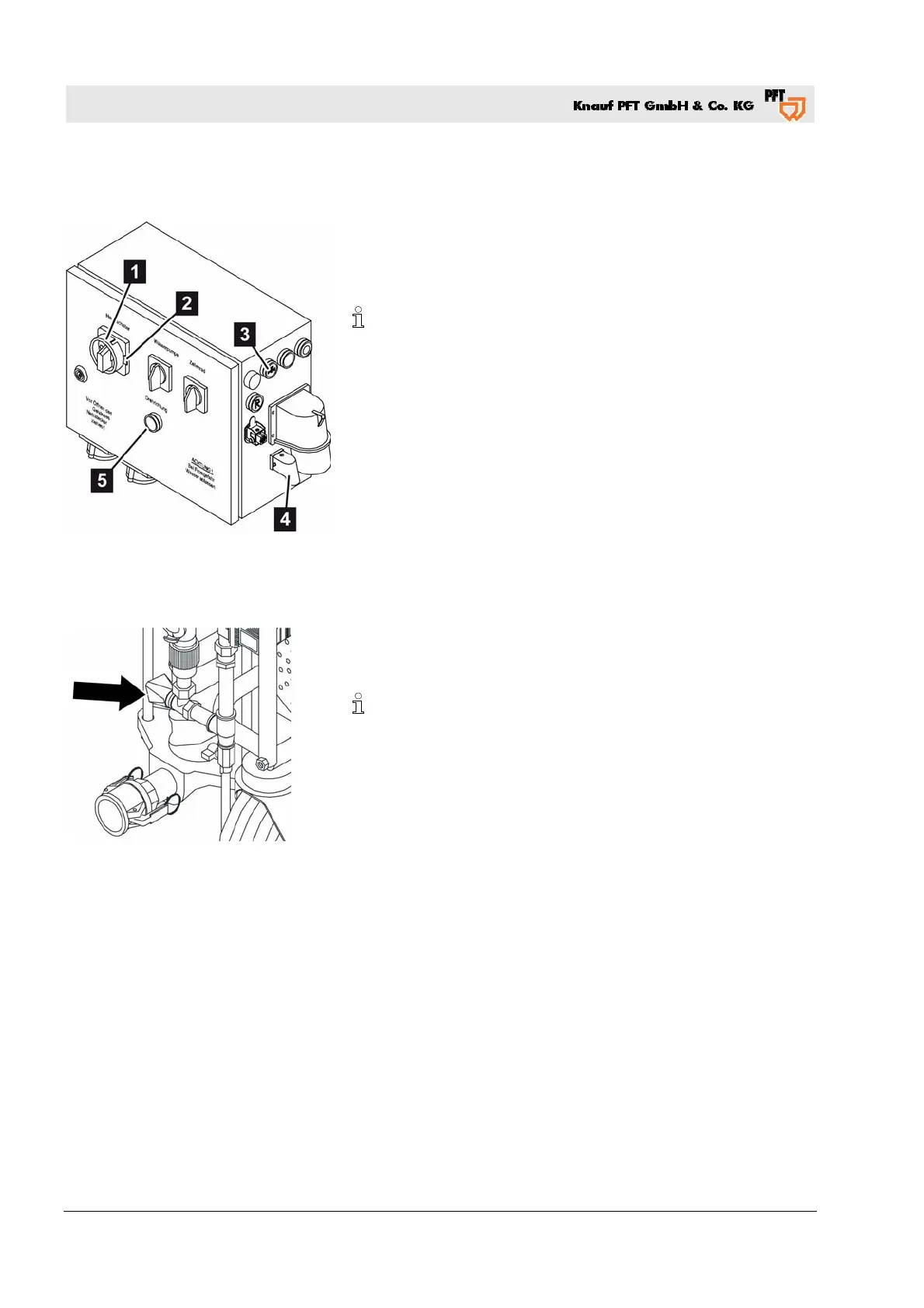
Fig. 28: Controls
1. Turn the main switch (Fig. 28/1) to position "I".
If the yellow indicator light "Change sense of rotation" (Fig.
28/5) is illuminated, change the sense of rotation.
To accomplish this, push the metal bracket (Fig. 28/2) in the
opposite direction.
The machine only starts up if the yellow indicator light is not
illuminated.
2. Close the control current circuit by inserting the dummy plug
(Fig. 28/4) on the control panel.
Adjusting the water quantity
3. Press the button "Water flow ON" (Fig. 28/3) to adjust the water
quantity (water pump is running).
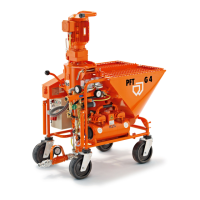
Fig. 29: Needle valve
4. Then set the anticipated water quantity on the needle valve
(Fig. 29/arrow). Heed the specifications provided by the
manufacturer of the material for the correct water quantity.
Any interruption of the spray process causes a slight irregularity
in the consistency of the material. This irregularity is normalized
after the machine has been operating for a short period. Do not
change the water quantity every time there is an irregularity.
Wait until the consistency of the material has been regulated
again.


 To Next Page