Chapter 1: Introducing the PEC Plus Phason
6 2009-06-15
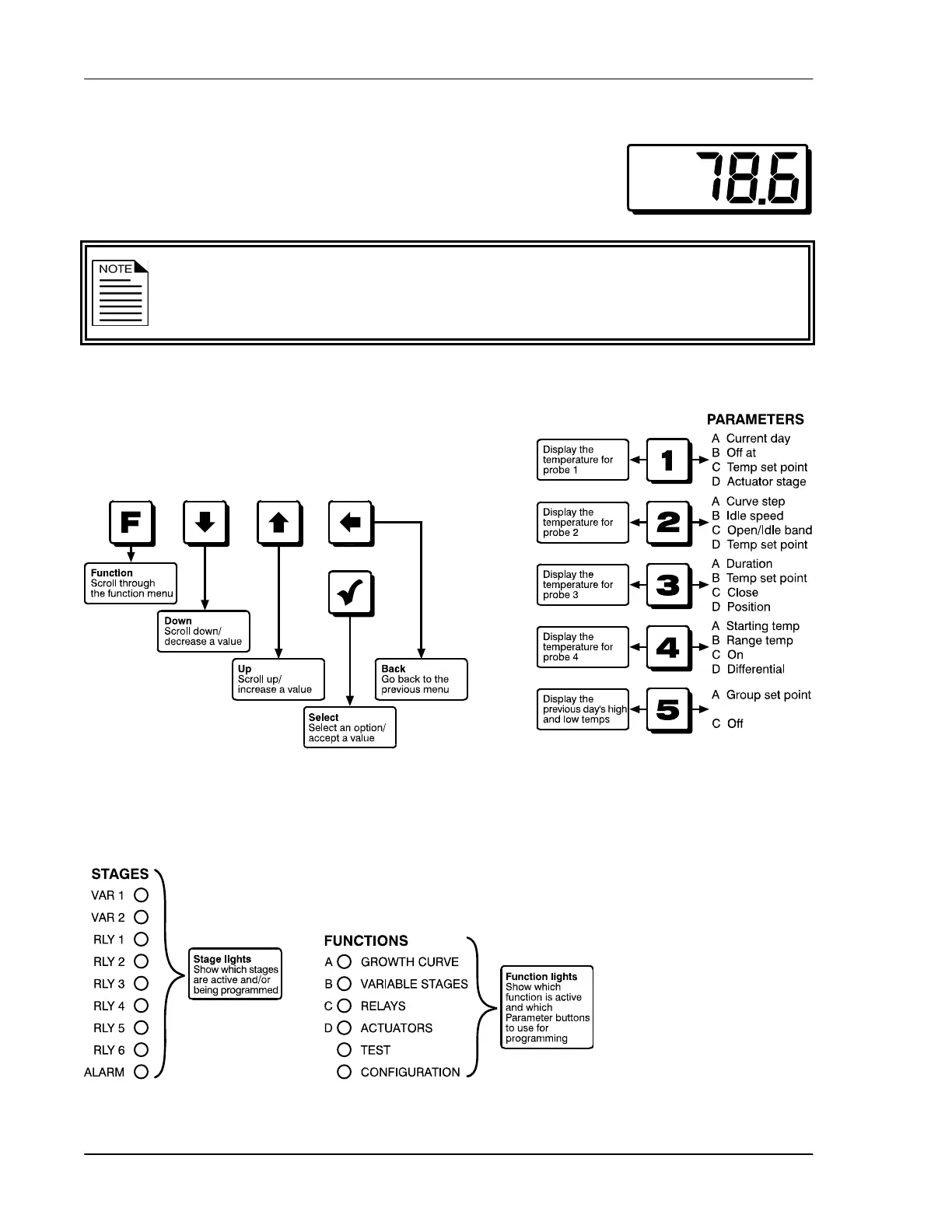
Main display
The four-character, seven-segment LED display shows ambient
temperatures, alarm messages, and programming information.
If you leave the PEC Plus in a menu or display other than the main display, the
control returns to the main display after five minutes without any key presses. The
only exceptions are stage test mode and temperature test mode; the control
remains in these modes until you manually exit them.
Buttons
The five main control buttons (Function, Down,
Up, Back, and Select) allow you to scroll through
the function menus and enter programming information.
The Parameter buttons display temperature information and allow you to select which settings, or
parameters, you want to program.
Status LEDs



 To Next Page