Chapter 2: Installing your PEC Plus Phason
22 2009-06-15
Connecting temperature probes
The PEC Plus has four temperature probe terminals, TEMP1 to TEMP4. You can connect any of
Phason’s standard 3K temperature probes to any of the probe terminals.
All enabled probes are averaged to provide a more balanced temperature reading in the room. Probe
4 (TEMP4) can be used to monitor outdoor temperatures. When probe 4 is configured for
monitoring outdoor temperatures, it is not used for temperature averaging.
When routing the temperature probe cables, do not run them in or along the same
conduit as AC-power lines. Follow the guidelines
on page 12.
If you are connecting more than one probe, you must enable the additional probes.
By default, probe 1 (TEMP1) is enabled and probes 2, 3, and 4 are not enabled. For
more information, read
Configuring temperature probes on page 31.
You can extend probe cables up to 500 feet. For more information, read
Extending
probe cables
on page 23.
Refer to
Appendix E: Configuration worksheets on page 86 when installing
temperature probes.
Replace damaged probes as soon as possible If there are no probes present or
working properly, the PEC Plus controls the stages for a temperature half-way
between the previous day’s high and low temperatures.
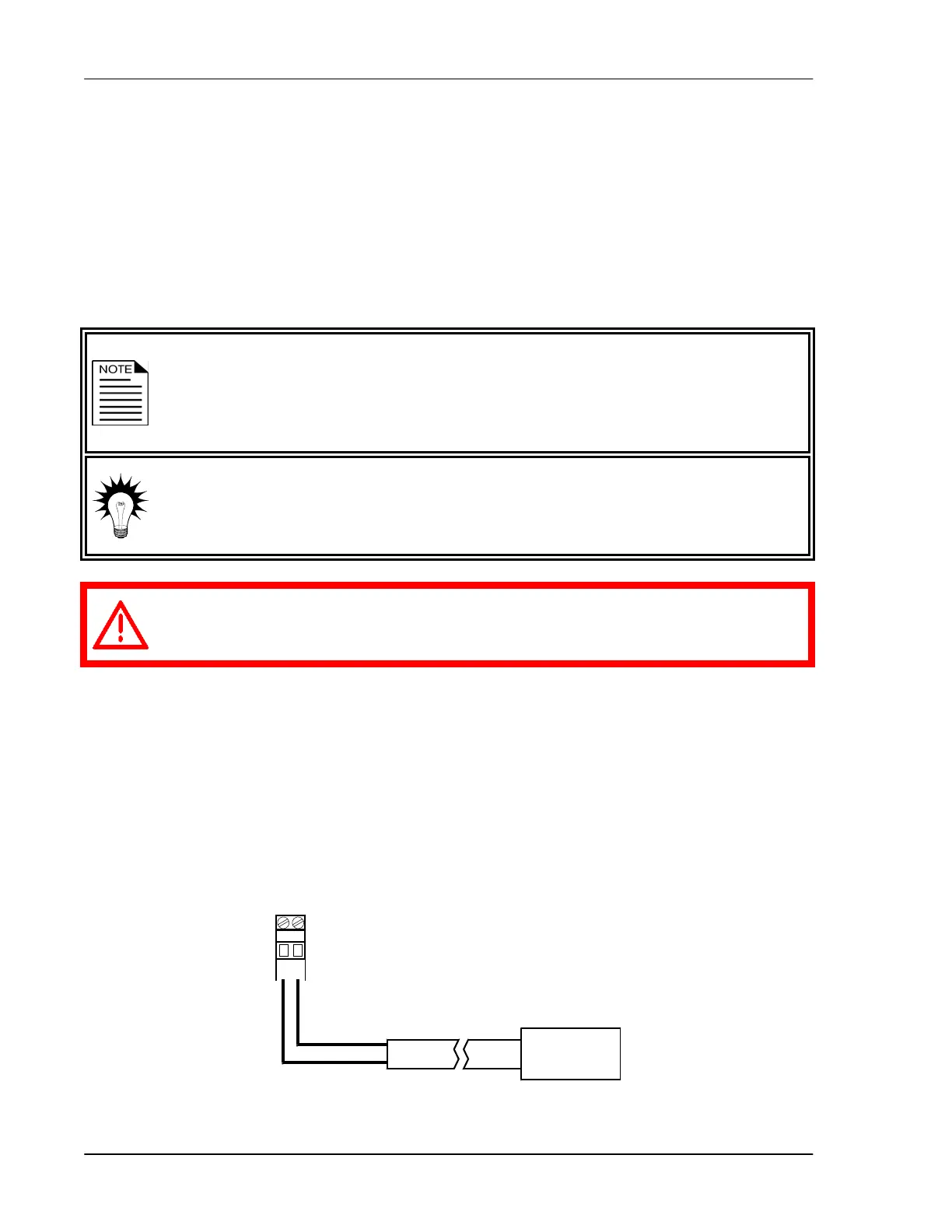
To connect temperature probes
Follow these guidelines and connect the temperature probe as shown below.
Do not run the probe cable in the same conduit as AC power cables
Do not run the sensor cable beside AC power cables or near electrical equipment.
When crossing other cables or power lines, cross them at a 90-degree angle.
TEMP1



 To Next Page