Mechanical Instructions
EN 13Q528.1E LA 4.
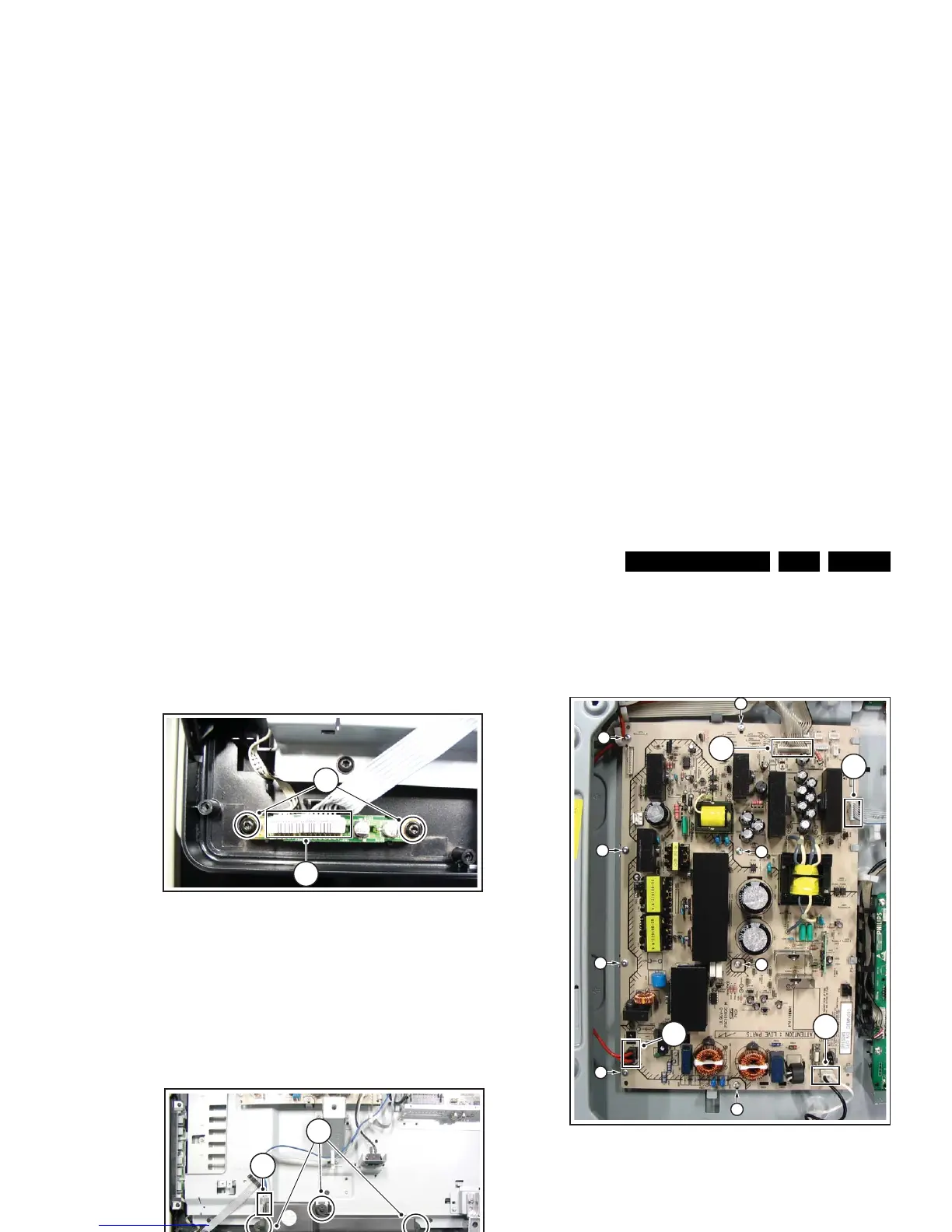
4.3.5 IR & LED Board
Refer to next figure for details.
1. Release clip [1], lift the board and take it out.
2. Unplug connectors [2].
3. Lift the board and take it out of the set.
When defective, replace the whole unit.
Figure 4-16 IR & LED Board
4.3.6 Speakers
Refer to next figure for details.
1. Unplug connectors [1].
2. Remove screws [2].
Take the speakers out together with their casing. When
defective, replace the whole unit.
Figure 4-17 Speakers
4.3.7 Display Supply Panel - 47” sets
Refer to next figure for details.
1. Remove the fixation screws [1].
2. Unplug connectors [2].
3. Take the board out. It hinges on the right side.
Figure 4-18 Display Supply Panel - 47” sets
H_16800_117.eps
090507
1
2
H_16800_118.eps
090507
2
1
H_16800_022.ep











 To Next Page