Mechanical Instructions
EN 12 Q528.1E LA4.
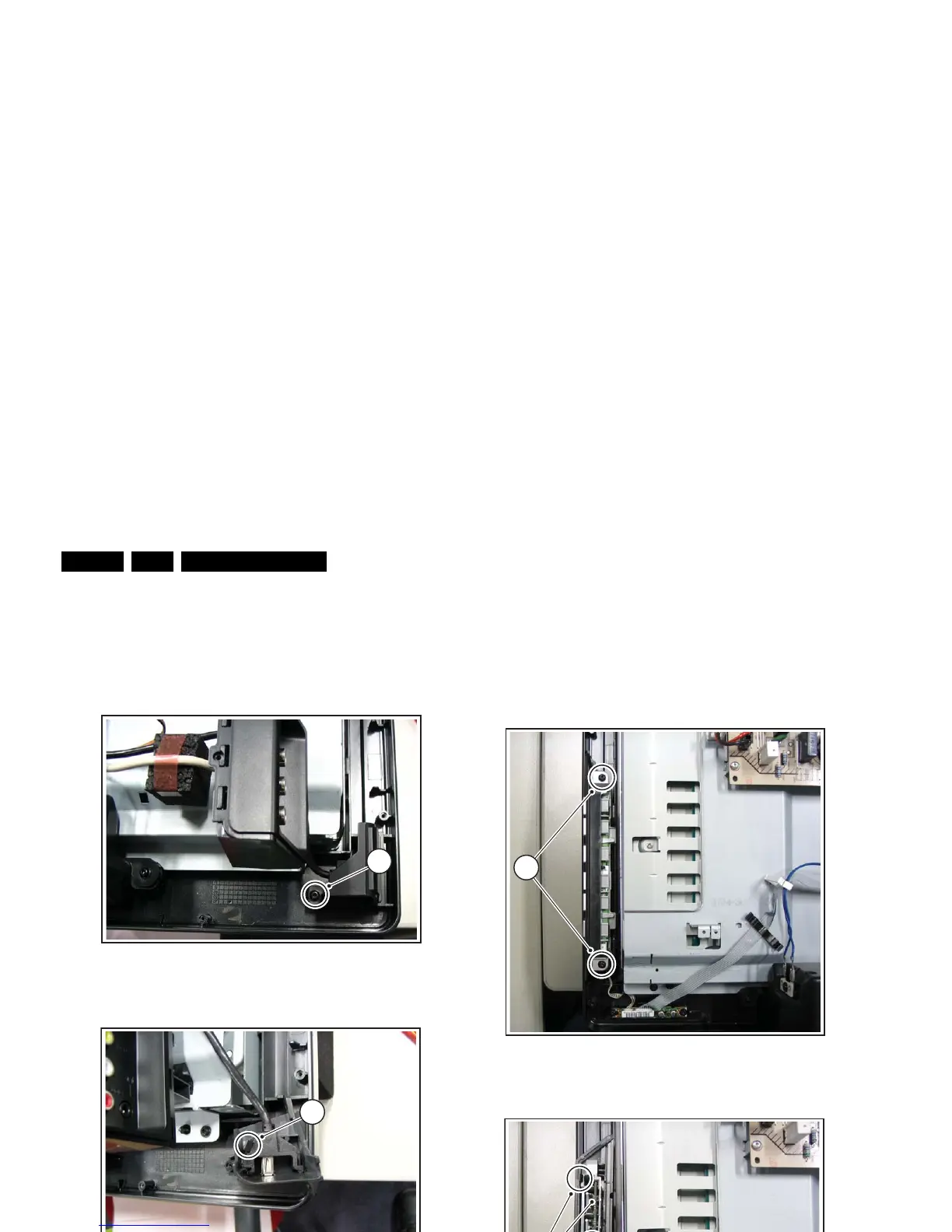
4.3.3 USB I/O Board
Refer to next figures for details.
1. Remove screw [1].
2. Lift clamp [2] and take the unit out of its casing.
When defective, replace the whole unit.
Figure 4-12 USB I/O Board -1-
Figure 4-13 USB I/O Board -2-
4.3.4 Keyboard Control Board
Refer to next figures for details.
1. Remove the screws [1] and turn the board upside-down.
2. Lift the clamps [2].
3. Take the PWB out of its casing.
4. Unplug the connector [3] and remove the board.
When defective, replace the whole unit.
Figure 4-14 Keyboard Control Board -1-
Figure 4-15 Keyboard Control Board -2-
H_16800_113.eps
090507
1
H_16800_114.eps
090507
2
H_16800_115.eps
090507
1
H_16800_116.eps
090507
2
3












 To Next Page