PianoDisc Installation Guide 53
. . . . .
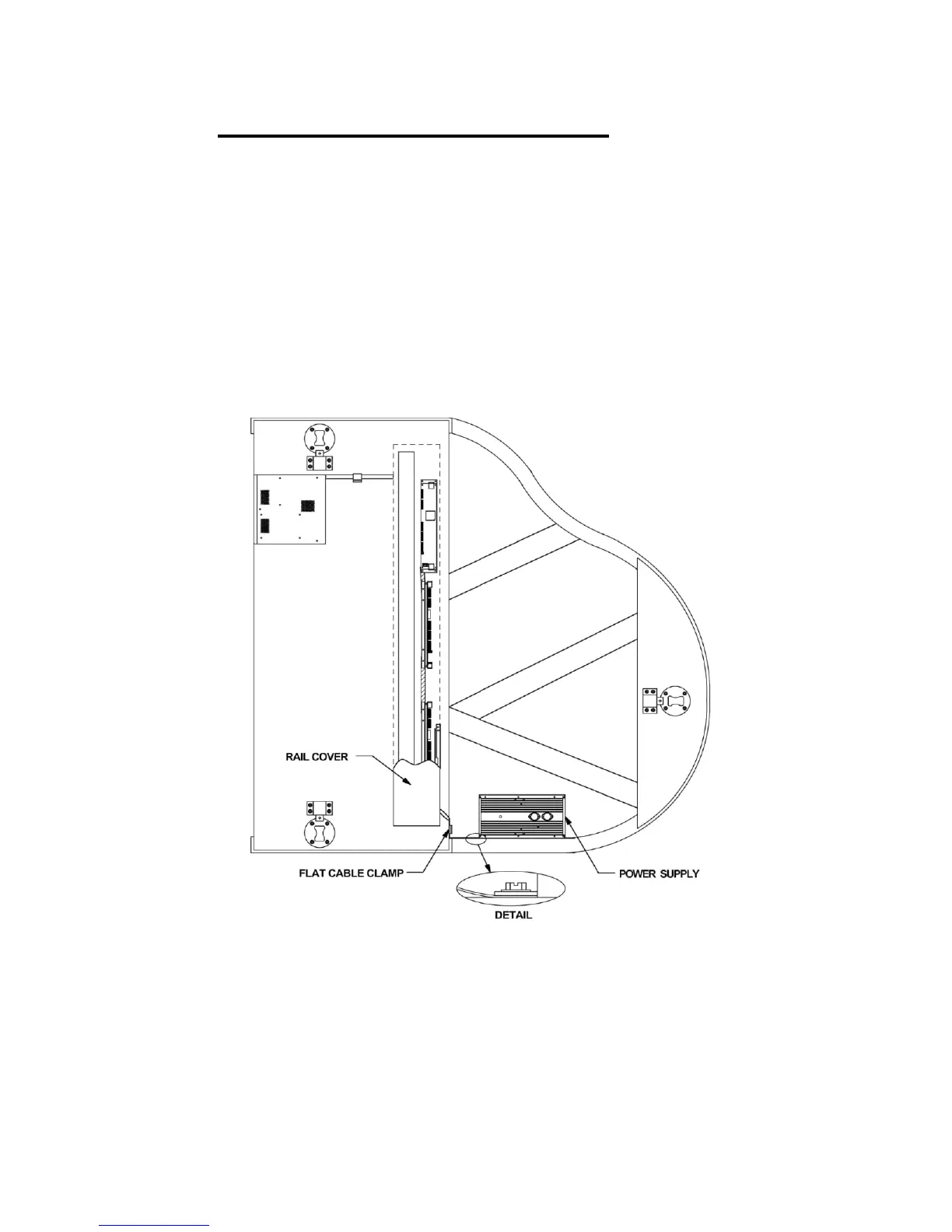
Step 28: Mount the power supply
The power supply should be mounted in such a position that its cables will be
of sufficient length to reach the driver CPU board. Test different positions of the
power supply (with cables attached) to determine which position will produce
the best results. (See Fig. 36) Mount the power supply using the mounting
hardware provided. Attach the power supply to a beam or inner rim. Keep the
heat sink side down. The voltage adjustment screw is on the top side of the
power supply. Prior to securing the power supply, attach the ESD ground strap
to the exposed under side of power supply. The other end of the ground strap
should be attached to the other ground strap that connects from the bass
driver board to the CPU. This connection will be inside the rail cover. Use an
extra solenoid screw to attach the ESD strap to the other ESD strap.
Figure 36



 To Next Page