PianoDisc Installation Guide 59
. . . . .
Step 36: System start up
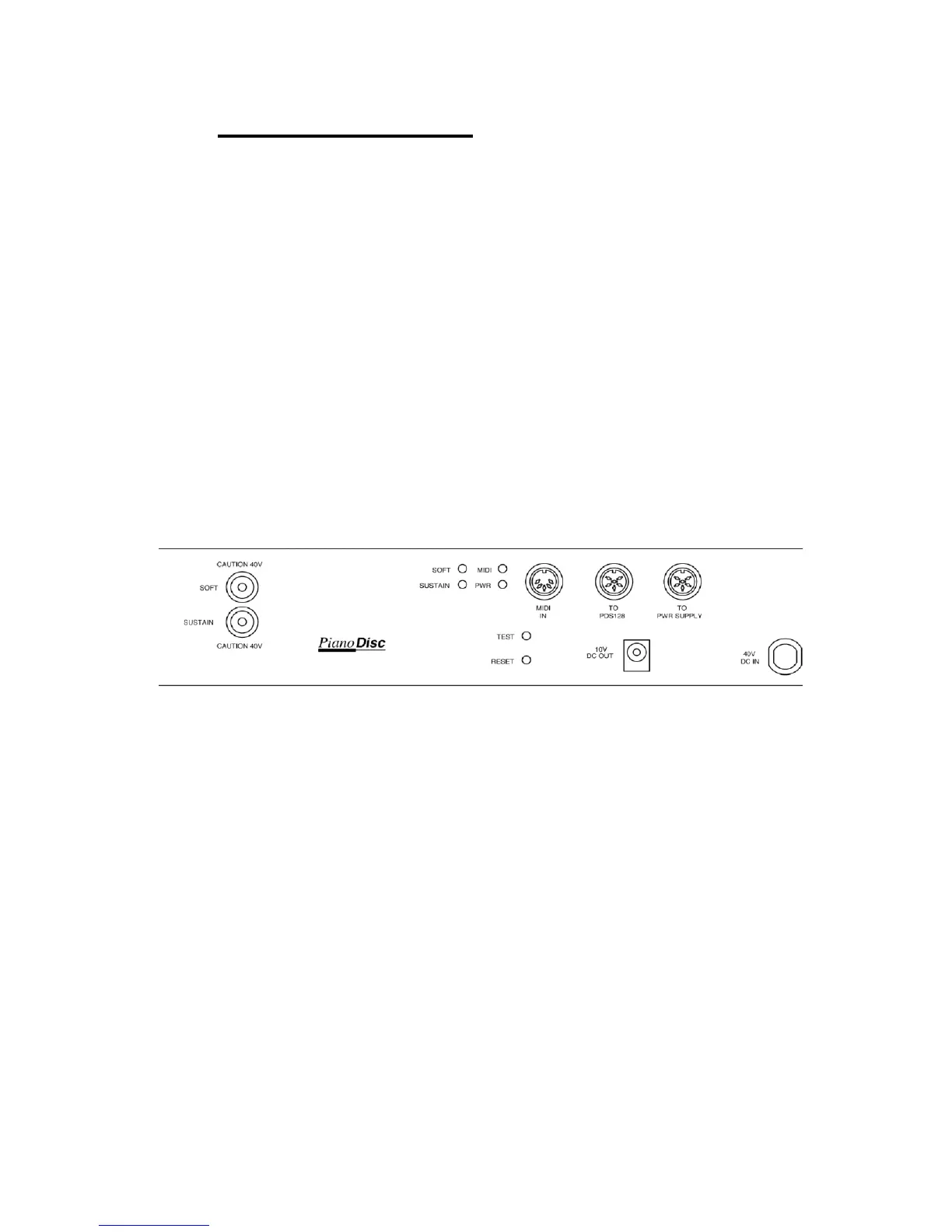
A. Check all cable connections. (See Fig. 35)
B. Plug the system into a 120 volt outlet (220 - 240 outlet for Europe).
C. Turn the power supply to the ON position.
D. The soft light and sustain light on the driver CPU will flash. The MIDI light on
the driver CPU will flash upon powering of the control box.
E. Press test button located on the C.P.U. interface. (See Fig. 41) This will
start the playing of the solenoids from the Bass to the Treble end. If the
solenoids fail to play, disconnect the power and check all cable
connections.
F. The reset button is used for restarting the program for driver board
operation. This button is not normally needed.
G. The system should play without control box adjustments. If the pedal
solenoid fails to move the trapwork or the key solenoids fail to move the
keys, refer to Appendix B.
Figure 41



 To Next Page