www.pinell.no Page14
Local stations
NB: Check that the radio is connected to the network.
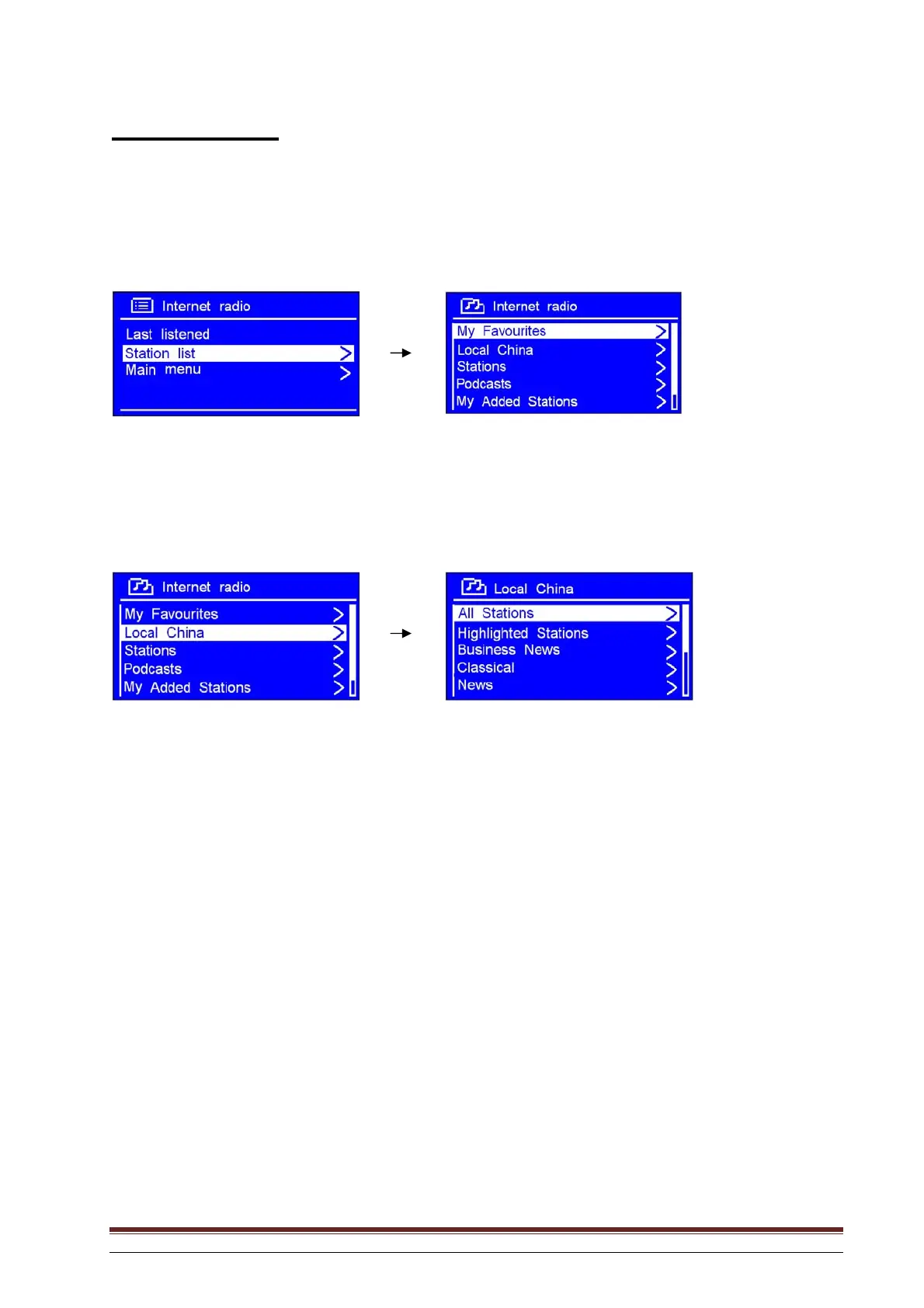
1. With the arrow pointing to Station list, press SELECT to confirm.
2. Rotate the knob or use the arrow keys to highlight Local Norway, and press to confirm.
NB: “Local Norway” may be replaced by something else, depending on where you are. You may for
example see “Local UK” or “Local US”. It is easy to find your local station.
3. Rotate the knob or use the arrow keys to find your favourite, press to confirm and proceed to the
desired programme.



 To Next Page