www.pinell.no Page21
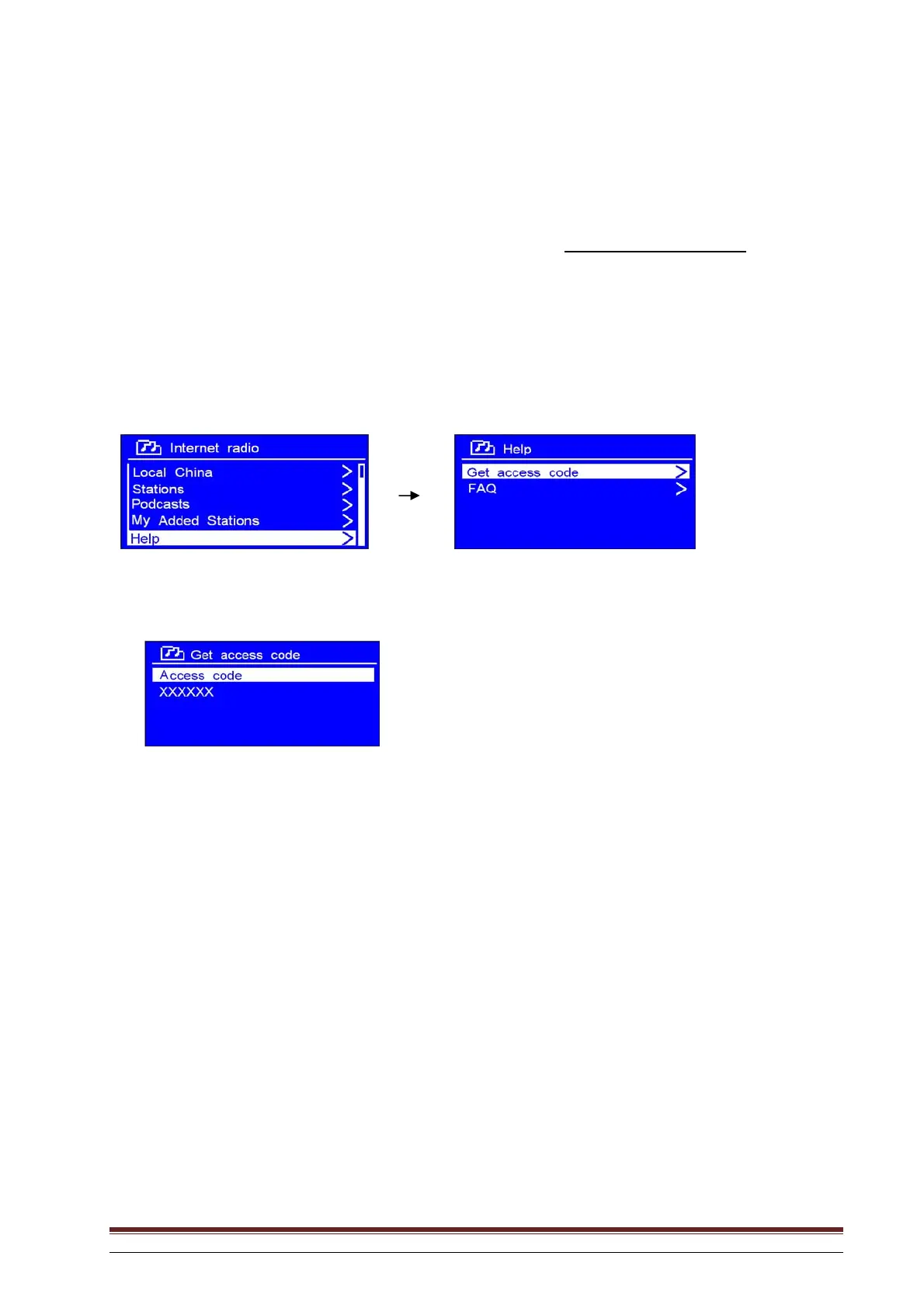
Obtaining an access code
An access code is required to register the radio on the web page: www.wifiradio-frontier.com
. Here you
can create lists of favourites, register your own channels, and so on, which you can later play on your
radio.
1. Once the radio is connected to the network and Internet Radio has been selected, press Back to
return to the menu system. Rotate the knob or use the arrow keys to highlight Help. Press to
confirm.
NB: At this stage you will also be able to refer to the Frequently Asked Questions (FAQ).
2. With the arrow pointing to Get access code, press SELECT to obtain the access code.



 To Next Page