www.pinell.no Page7
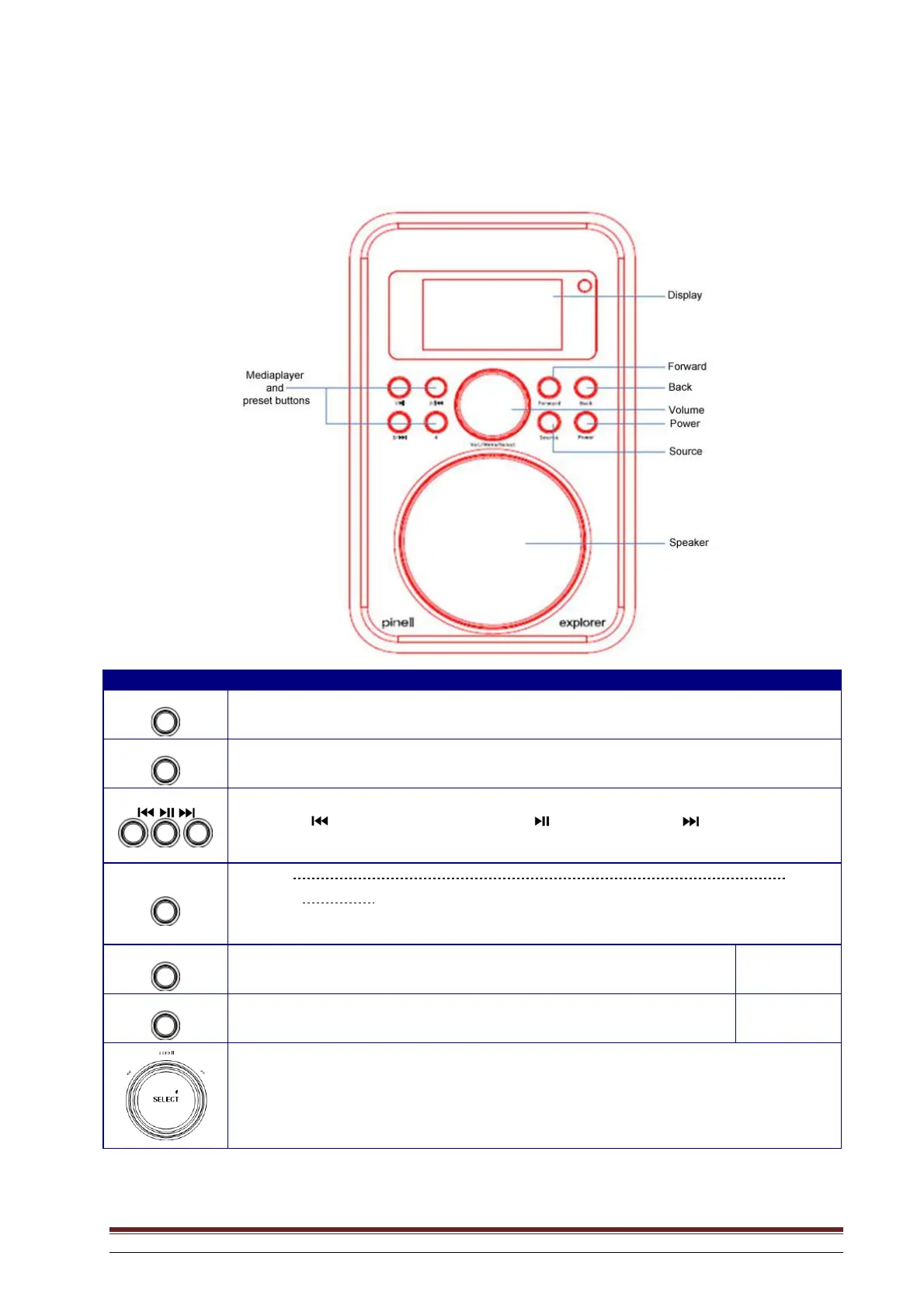
Overview of controls (a)
Radio viewed from the front
Button Internet DAB + FM Media Player AUX IN
Power
Press to switch radio on or off
When the alarm sounds, press this button to switch it off.
SOURCE
Press to switch between Internet Radio, Media Player (Music Player), DAB (DAB+), FM and
AUX IN mode.
NB: for use only in Media Player
Press
to play the previous track, press to play/pause, press to go to the next
track.
PRESET
NB: for use only in Internet Radio, DAB+ and FM modes. See Page 31 for more
information.
Press and hold to store preset stations. Press to load a stored station.
FORWARD
Press to go forward in the menu system.
BACK
Press to go backwards in the menu system.
a. Rotate to scroll through options, press to confirm selection.
b. Press to go to the main menu or change options.
c. Rotate to adjust the volume



 To Next Page