www.pinell.no Page35
Setting the alarm
NB: Make sure you have set the clock correctly before setting the alarm.
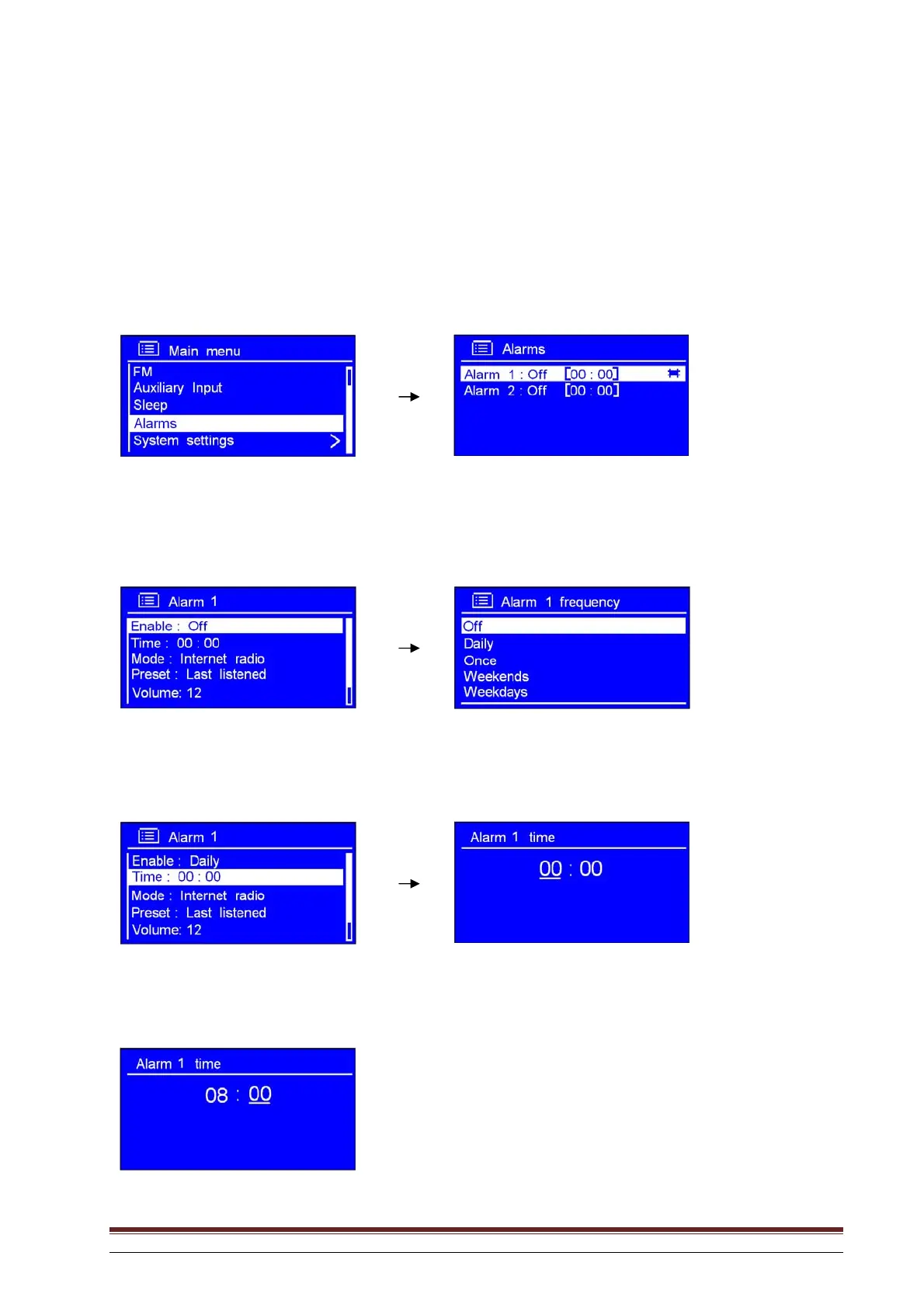
1. It may be activated from MAIN MENU Alarms. Press SELECT to confirm.
2. Rotate the knob or use the arrow keys to highlight the desired alarm and press to confirm.
3. With the arrow pointing to Enable: Off, press SELECT to confirm.
4. Rotate the knob or use the arrow keys to highlight the desired alarm frequency. Press to confirm.
5. Rotate the knob or use the arrow keys to highlight Time: 00:00. Press to confirm.
6. Rotate the knob or use the arrow keys to change the hours. Press to confirm.
7. Use the same method to set the minutes. Press to confirm.



 To Next Page