www.pinell.no Page17
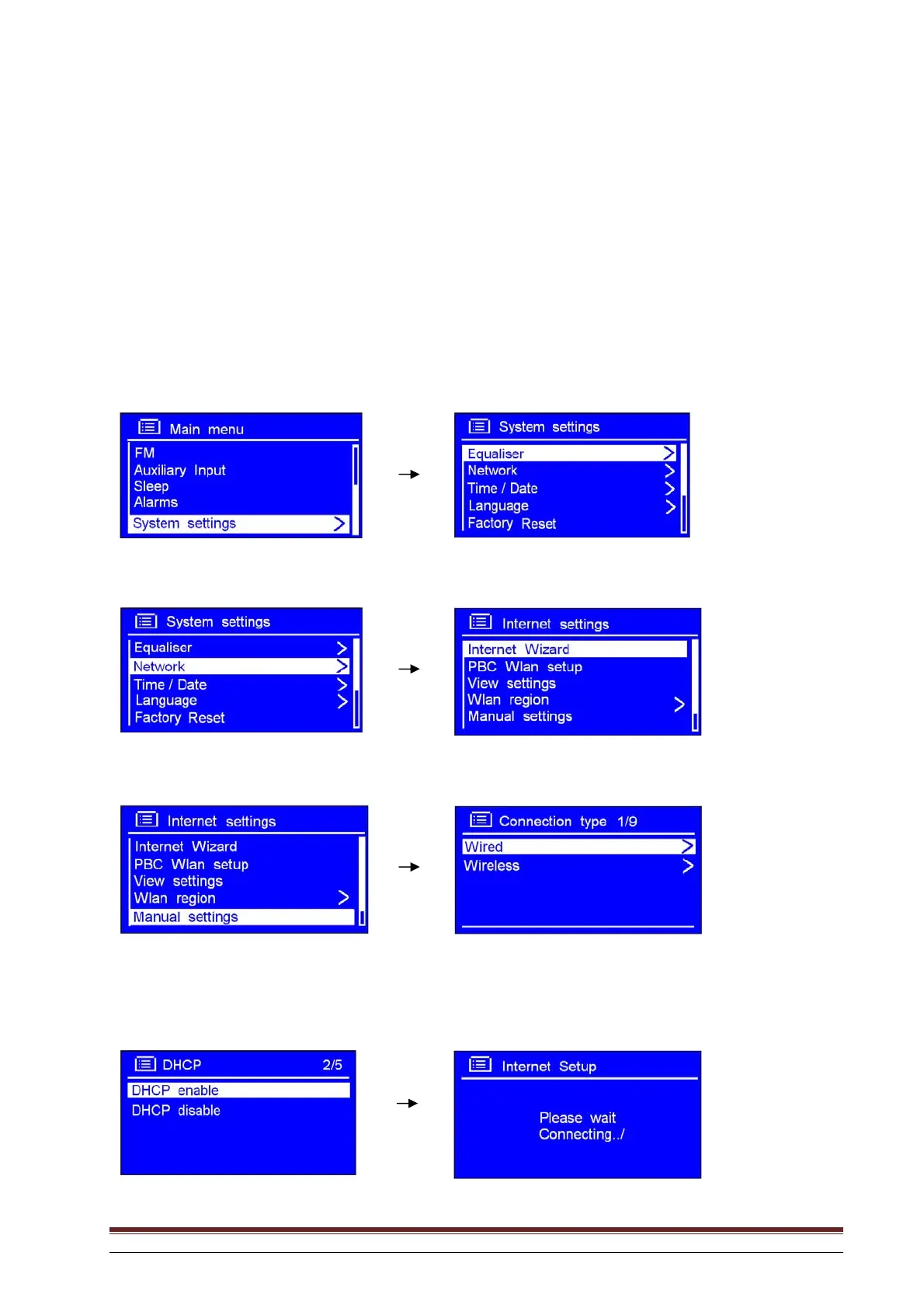
Connecting to a network by means of cable
Step 1 – Select LAN settings
NB: a. Ensure that the LAN cable is connected to the LAN port.
1. Press MENU, or rotate the knob or use the arrow keys to highlight Main Menu. Press to confirm.
2. Rotate the knob or use the arrow keys to highlight System settings. Press to confirm.
3. Rotate the knob or use the arrow keys to highlight Network. Press to confirm.
4. Rotate the knob or use the arrow keys to highlight Manual settings. Press to confirm.
5. With the arrow pointing to Wired, press SELECT to confirm.
6. With the arrow pointing to DHCP enable, press SELECT to confirm.



 To Next Page