www.pinell.no Page18
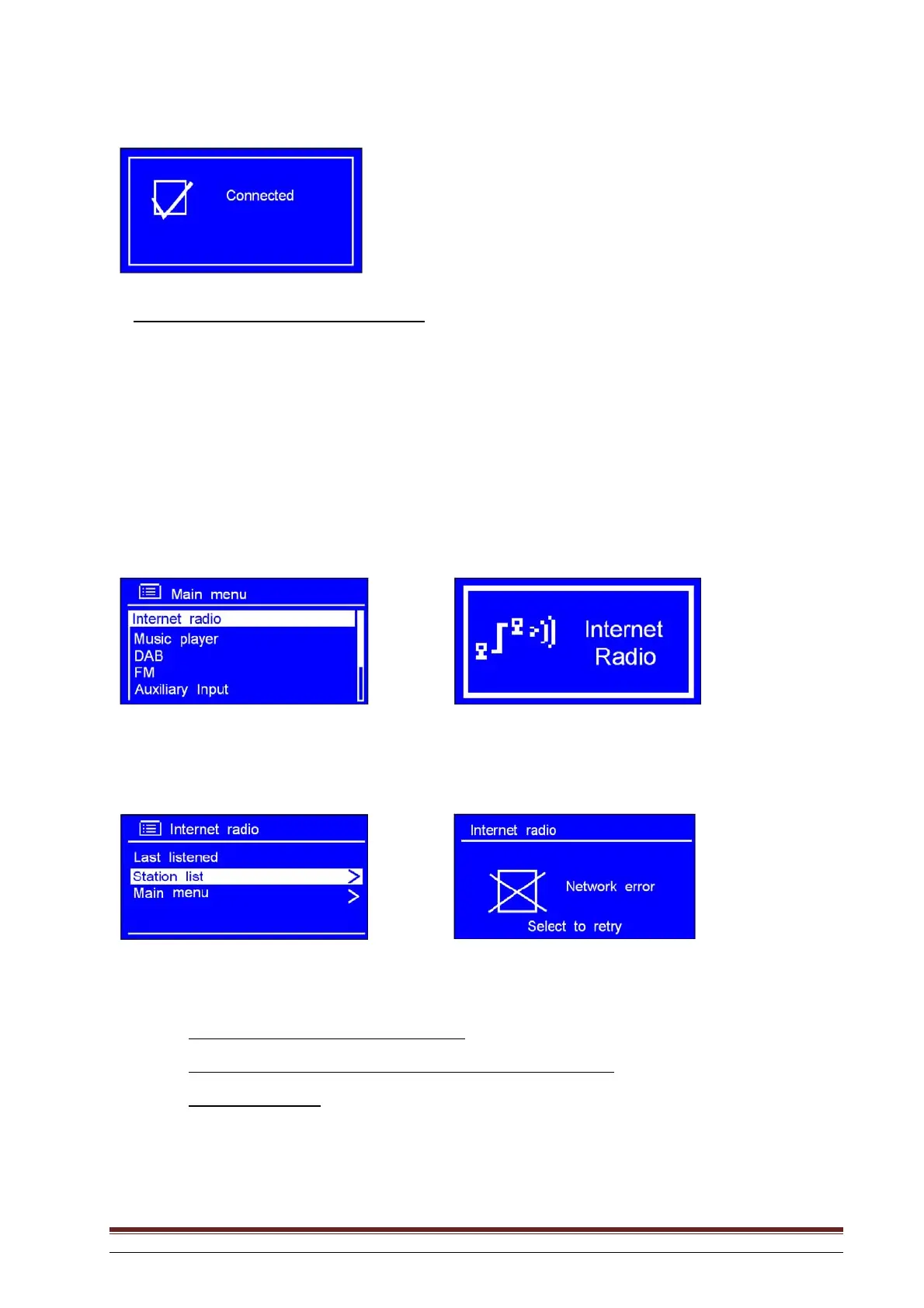
Later, the display will show:
The LAN setting has now been entered.
Step 2 – Enter Internet Radio mode from another mode
1. Press MENU or rotate the knob or use the arrow keys to highlight Main Menu. Press to confirm.
2. With the arrow pointing to Internet radio, press SELECT to confirm, or press SOURCE repeatedly
until Internet Radio is displayed.
or
Continue with the above-mentioned steps. After a few seconds, the following will be displayed:
or
If this happens, proceed as follows:
a. Check that the router is functioning correctly.
b. Check that the LAN cable is connected properly and is not damaged.
c. Check the cable port.



 To Next Page