www.pinell.no Page26
DAB mode
Getting started
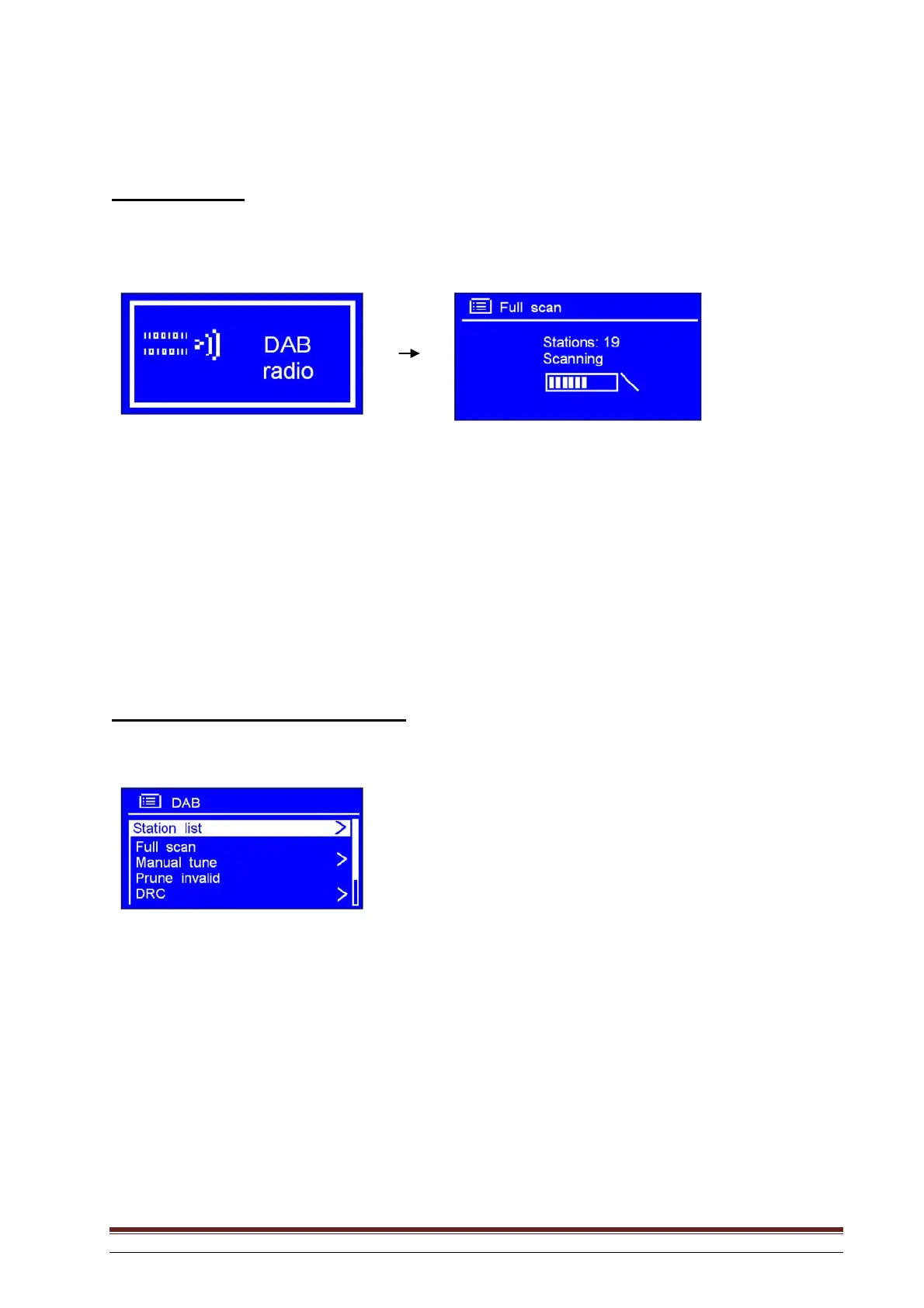
1. Press SOURCE repeatedly until DAB Radio is displayed. The first time this is done, a complete
scan is performed, storing the station list in the memory.
NB: a. You may also press MENU, and rotate the knob or use the arrow keys to highlight DAB. Press to enter.
b. When using the radio, you may perform a complete scan to update the station list by selecting Full
scan in the DAB menu.
2. When the scan is complete, the DAB+ and DAB stations are displayed in alphanumeric order. The
first station in the list will be played.
NB: If no DAB+ or DAB signals are found in your area, you may need to relocate the radio.
Changing to another DAB station
1. Repeat Step 2 above. You can return at any time by pressing BACK.
3. With the arrow pointing to Station list, press SELECT to confirm.
4. Rotate the knob or use the arrow keys to scroll through the list of stations and press to confirm.
NB: If no DAB signals are found in your area, you may need to relocate the radio.
Dynamic Label Segment (DLS):
This is text information provided by the DAB station, which scrolls across the display. The
information may include music titles or details of the programme provided by the broadcaster.



 To Next Page