www.pinell.no Page28
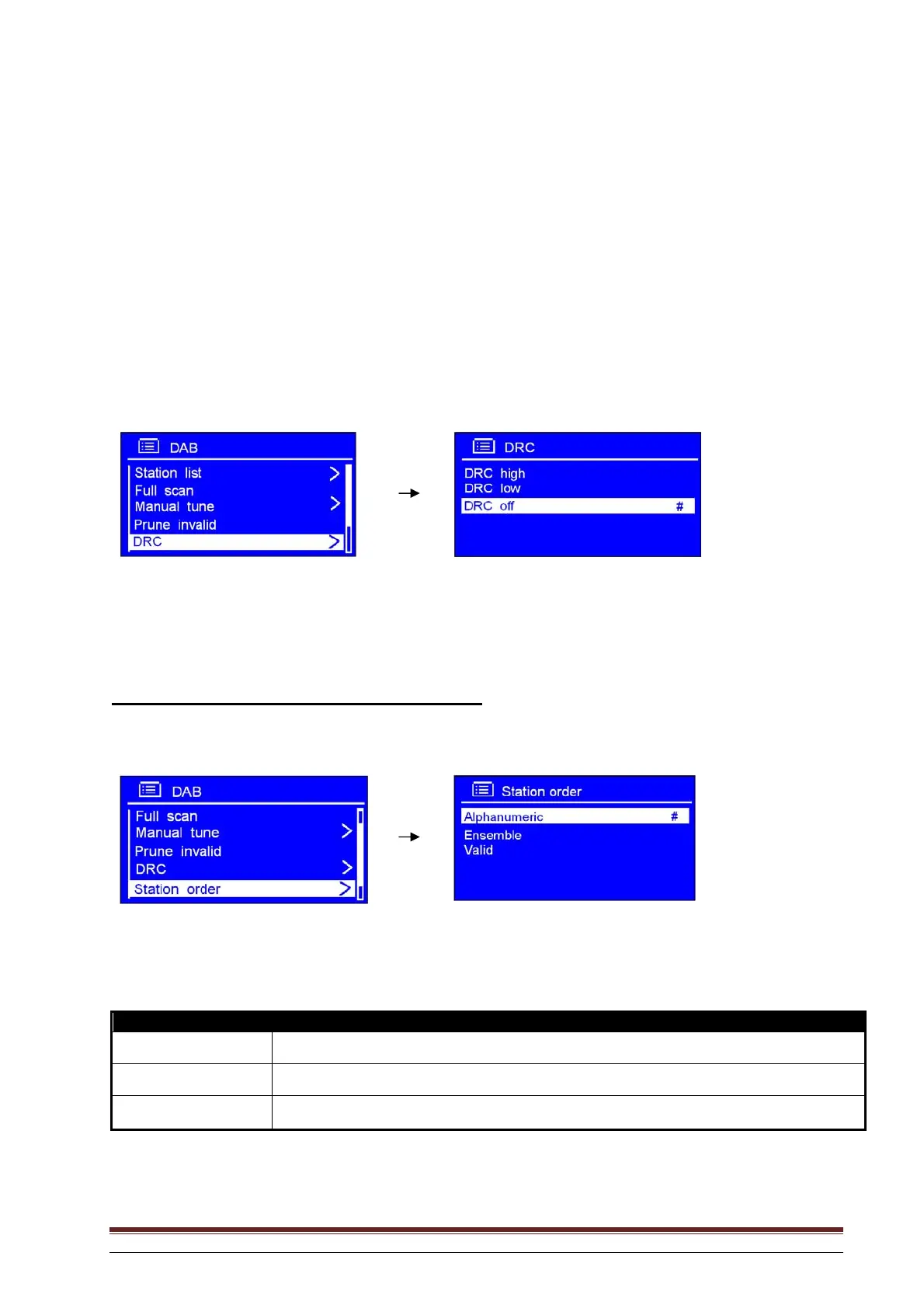
Dynamic Range Control (DRC) value
You may specify the level of compression of stations to eliminate differences in the dynamic range or
volume levels between radio stations.
NB: a. DRC off indicates that no compression is being applied.
b. DRC low indicates a low level of compression.
c. DRC high indicates maximum compression.
1. In the DAB menu, select DRC to set the desired level of compression.
2. Rotate the knob or use the arrow keys to highlight the desired level. Press to confirm.
How to change the order of stations
1. In the DAB menu, select Station order. Press to confirm.
NB: There are three options: Alphanumeric, Ensemble and Valid. The # after the standard setting indicates the
option in use.
STATION ORDER DESCRIPTION
Alphanumeric
Displays all stations in alphanumeric order.
Ensemble
Lists active stations (stations broadcasting at this moment) followed by inactive stations.
Valid
Removes inactive stations from the list.
2. Rotate the knob or use the arrow keys to highlight the desired option. Press to confirm.



 To Next Page