www.pinell.no Page29
FM mode
A. GENERAL USE
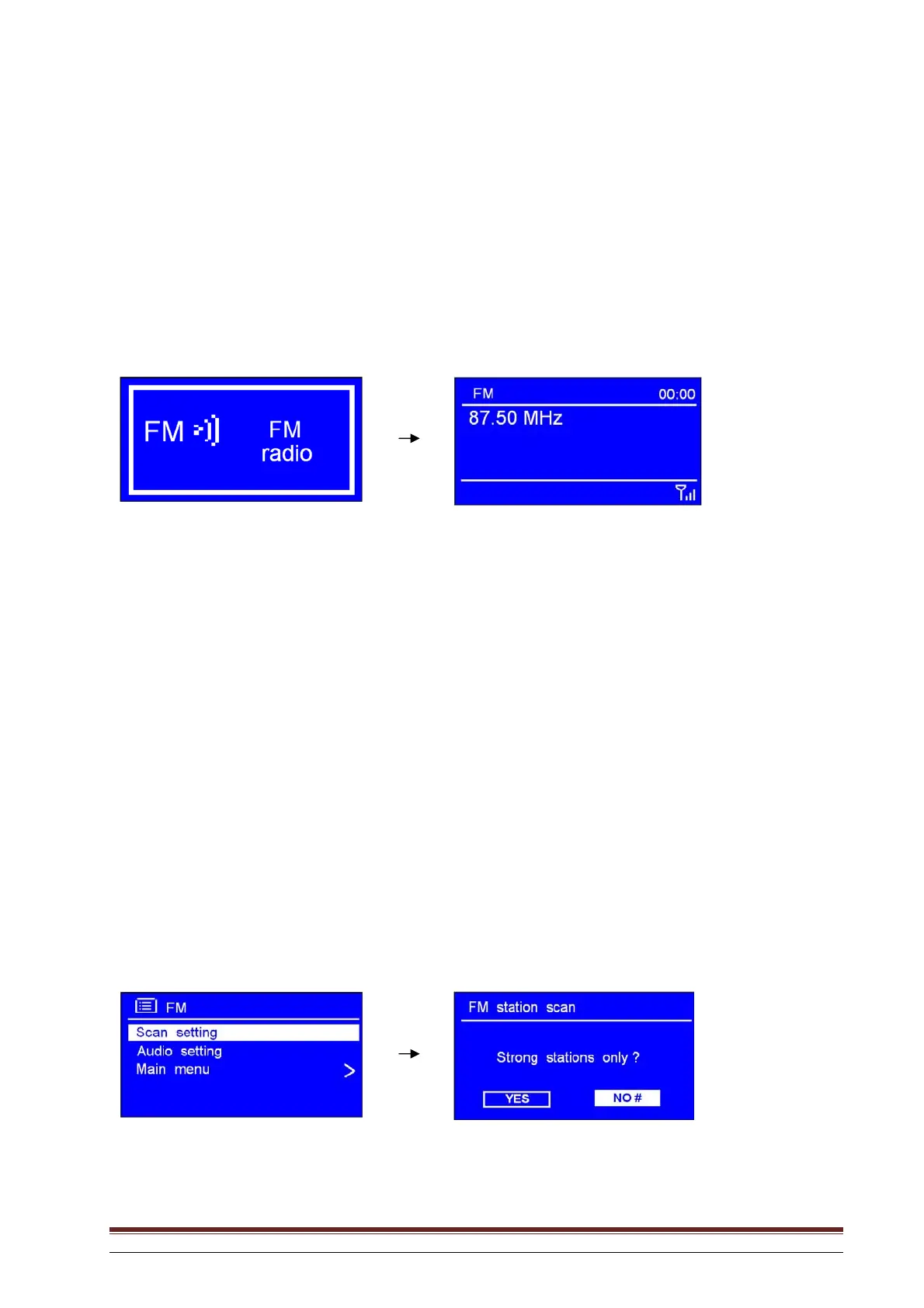
1. Press SOURCE repeatedly until FM Radio is displayed.
The first time this is done, the radio goes to the beginning of the FM waveband (87.50 MHz).
In later use, the station you last listened to is selected.
NB: You may also go to Main menu and rotate the knob or use the arrow keys to highlight FM. Press to
confirm.
3. Rotate the knob or use the arrow keys to raise or lower the frequency in steps of 0.05 MHz.
4. To search automatically, press the up or down arrow key on the remote control.
NB: a. To use “auto-search” to locate the next active station, repeat Step 3.
b. The frequency is displayed, changing until it stops at the next station.
c. When the end of the waveband is reached, searching is repeated from the beginning.
B. SCAN SETTING
1. In FM mode you may at any stage press BACK or MENU to enter setting mode.
2. With the arrow pointing to Scan setting, press SELECT to confirm.
3. Rotate the knob or use the arrow keys to highlight YES or NO. Press to confirm.



 To Next Page