www.pinell.no Page15
Selecting a station
NB: Check that the radio is connected to the network.
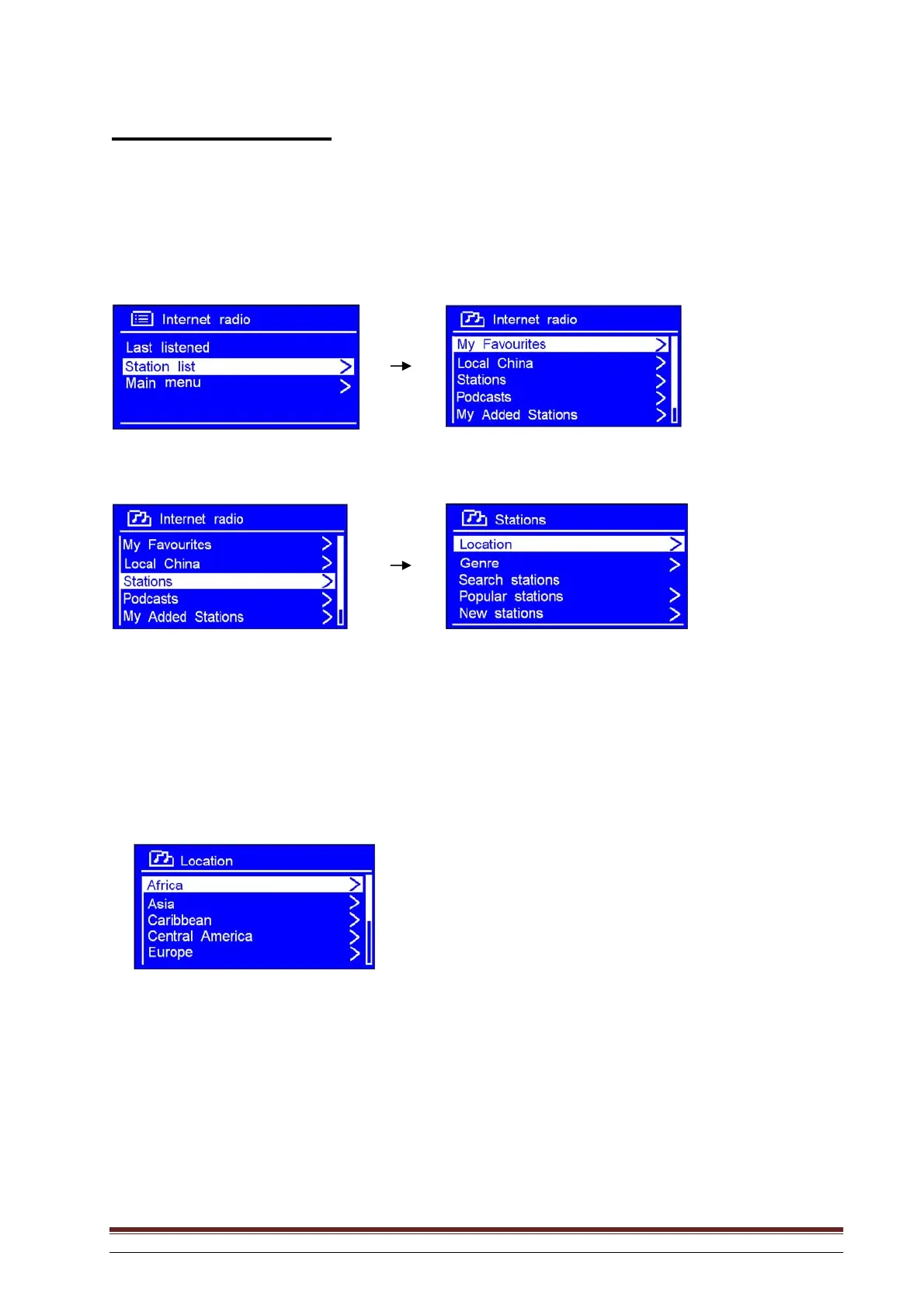
1. With the arrow pointing to Station list, press SELECT to confirm.
2. Rotate the knob or use the arrow keys to highlight Stations. Press to confirm.
3. There are five alternative ways of selecting a station as shown above.
“LOCATION” enables you to choose from the radio stations available in each of the countries you select
from the list.
a. With the arrow pointing to Location, press SELECT to confirm.
b. Rotate the knob or use the arrow keys to highlight the region you want. Press to confirm.
c. Use the same method to select country and station. The radio will begin to play.



 To Next Page