www.pinell.no Page33
Setting the clock
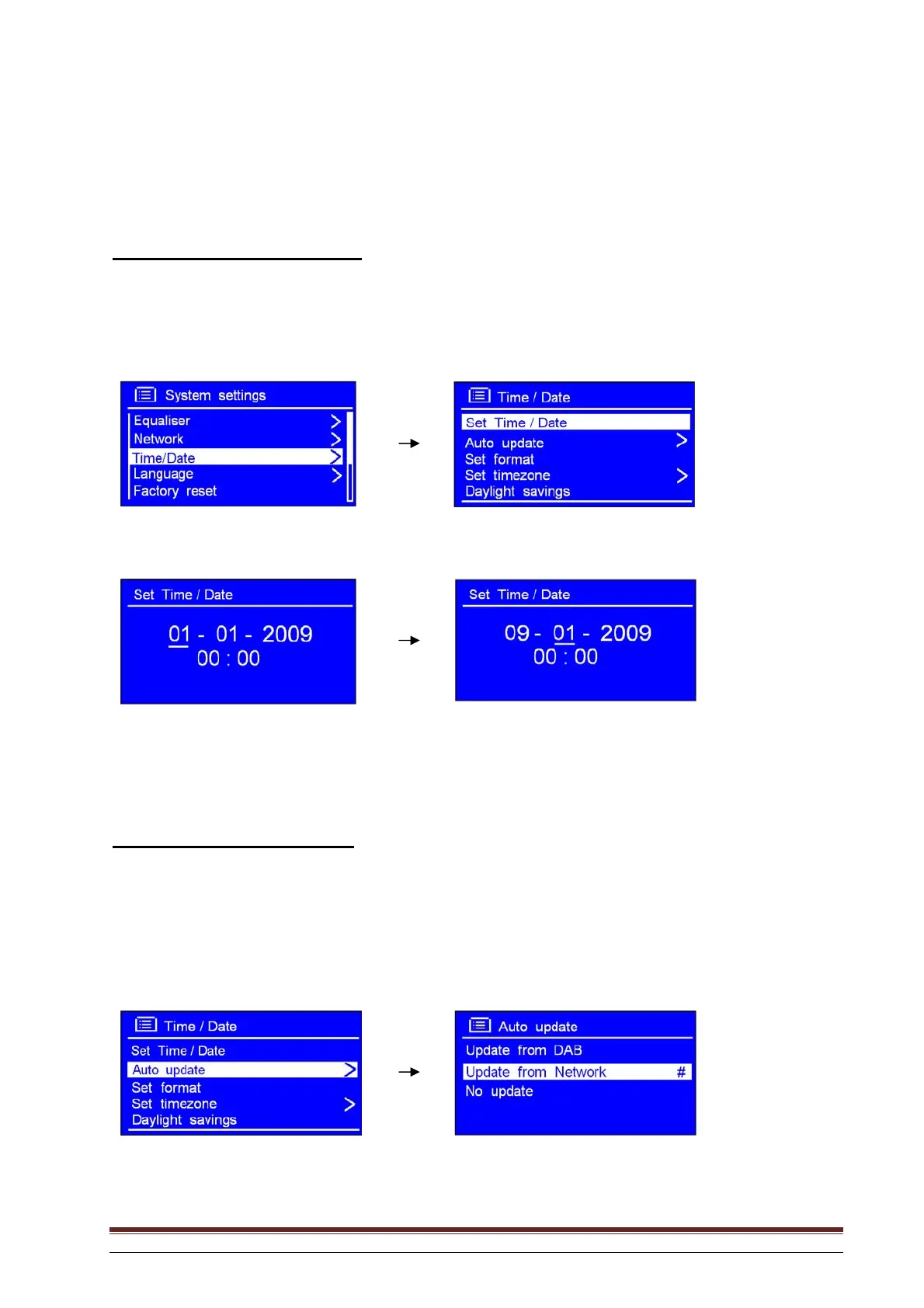
To set the time and date manually
1. This may be activated from MAIN MENU System settings Time/Date. Press SELECT to
confirm.
2. With the arrow pointing to Set Time/Date press SELECT and rotate the knob to set the date.
3. Set the month, year, hours and minutes in the same way. The setting is now completed.
You may also use “Auto update”
NB: Select Auto update. Check that the radio is connected to the Internet. It will then obtain the date and
time automatically.
1. Rotate the knob or use the arrow keys to highlight Auto update. Press to confirm.



 To Next Page