www.pinell.no Page27
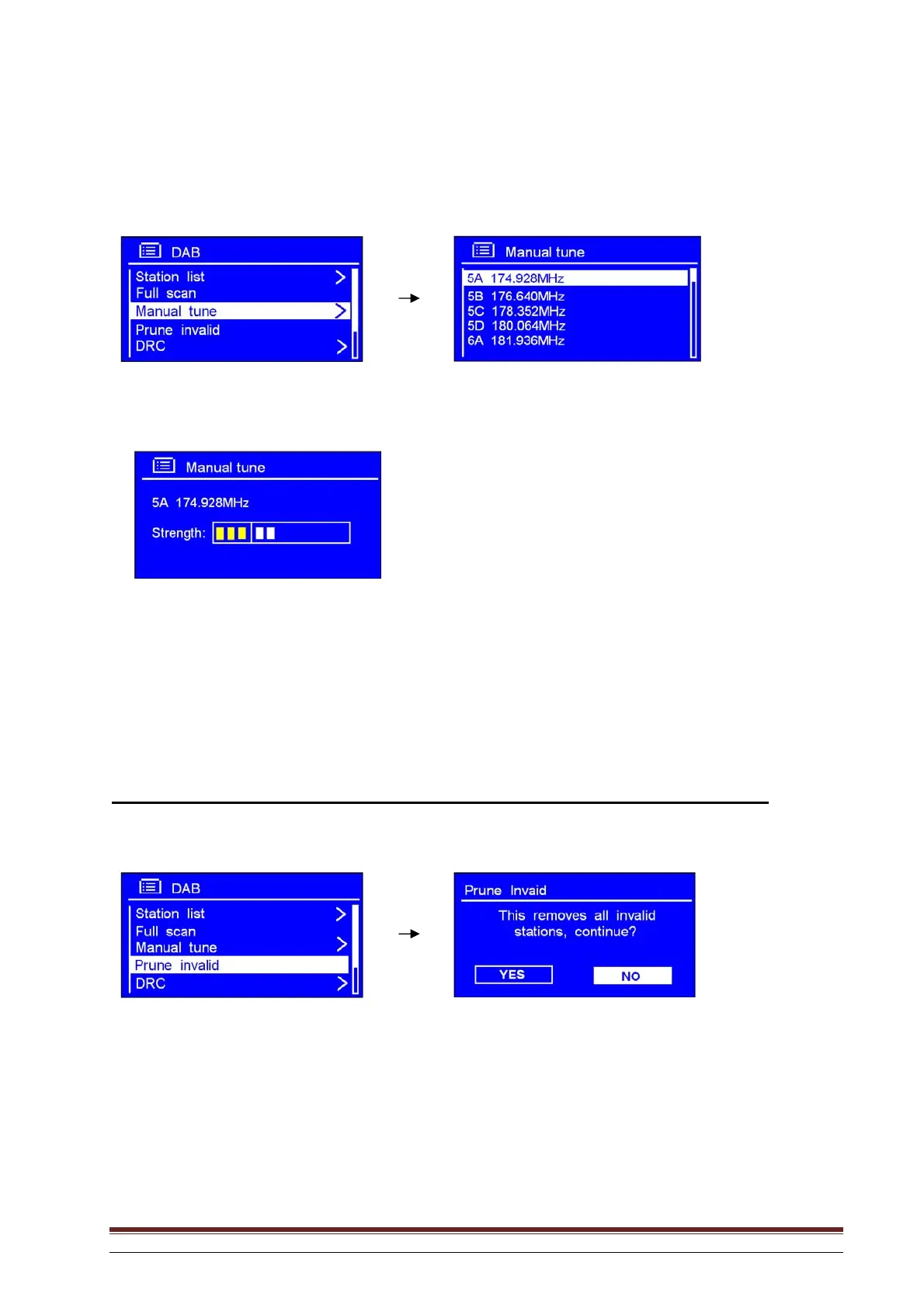
Manual tuning:
1. When the DAB menu is being displayed, select Manual tune to select a channel manually.
2. Rotate the knob or use the arrow keys to scroll through the channels and press to select the desired
channel.
NB: If there are several stations corresponding to this channel and frequency, after a few seconds a tuning
meter will be displayed, showing the signal strength and name.
3. Press SELECT again to exit this mode.
Prune invalid: (remove channels not broadcasting or operating)
1. In the DAB menu, select Prune invalid to remove channel which are not broadcasting or operating.
2. Rotate the knob or use the arrow keys to highlight YES, and press to confirm.



 To Next Page