www.pinell.no Page41
Resetting to factory default settings
NB: Performing this will clear the radio’s memory, all WEP/WPA codes and any other user settings.
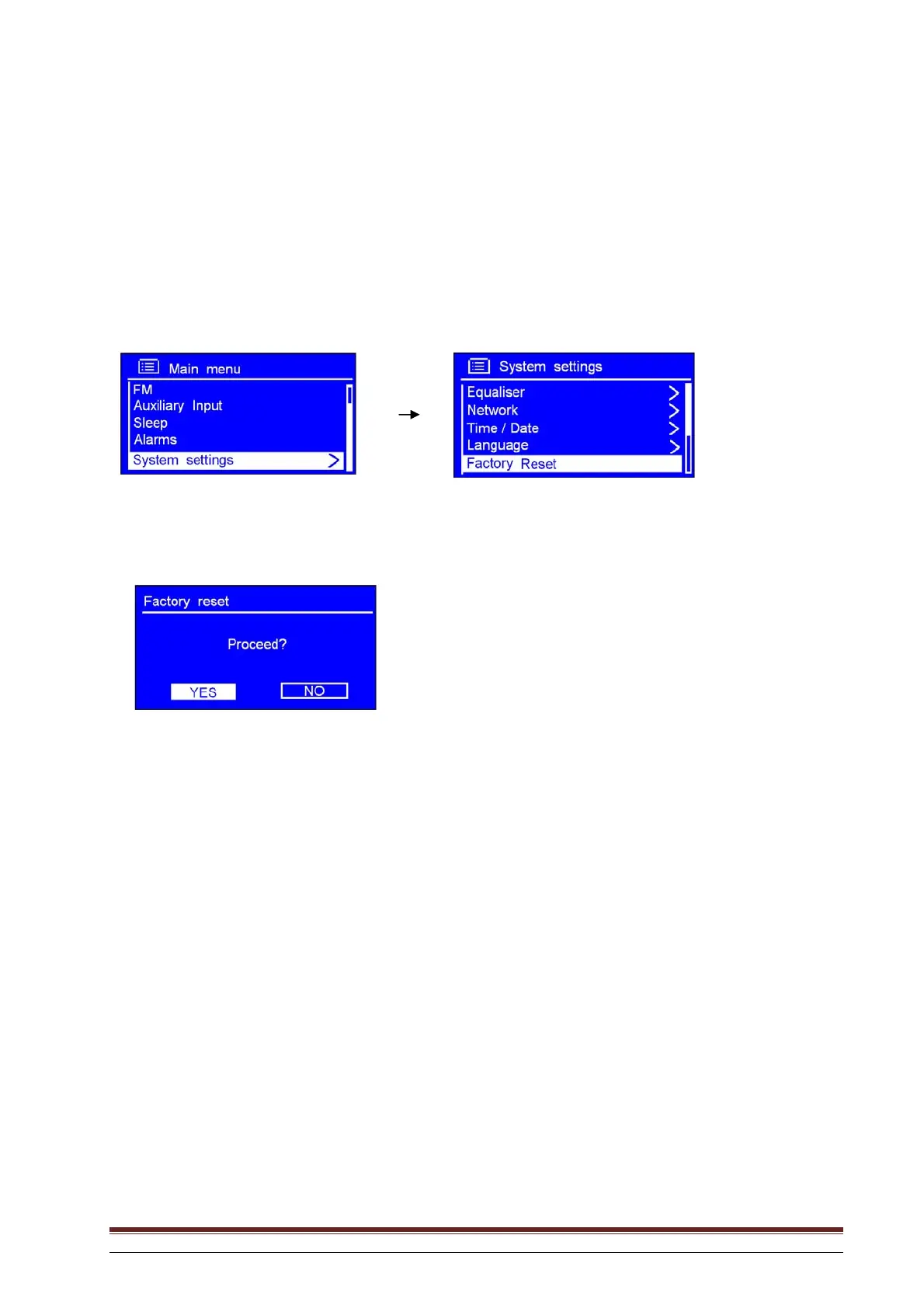
1. This may be activated from Main menu System settings Factory reset.
2. Press SELECT to confirm and then turn the knob to highlight YES.
3. Press SELECT to confirm.
NB: If you do not wish to proceed, you may rotate the knob or use the arrow keys to highlight NO
at Step 2, and then press the knob to cancel.



 To Next Page