www.pinell.no Page10
Setup guide
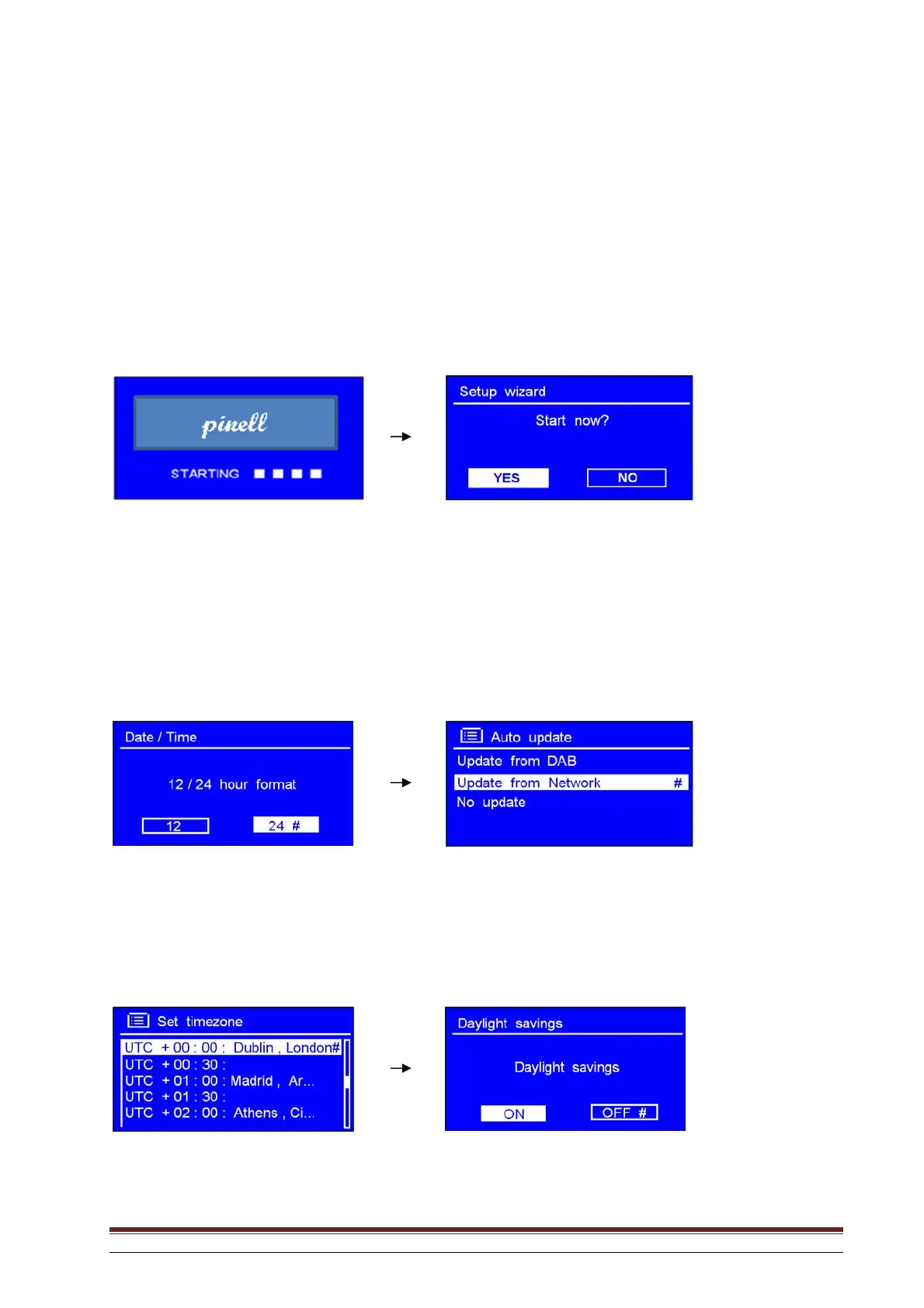
Step 1 – Switch on
1. Plug in the power adapter and check that the LED lamp is illuminated.
2. When in use, the radio can be switched off by pressing the STANDBY/ON button. The first time you
switch on, the Setup Wizard will be displayed.
Step 2 – Setup guide
Continue the setup by pressing SELECT to confirm “YES” and rotate the knob to select 12/24 hour
format. Press to confirm. Here you can choose whether the clock display will have 12 or 24 hour
format.
Press SELECT to confirm “Update from network”. The radio will now automatically obtain the date and
time of day.
Rotate the knob or use the arrow keys to highlight your time zone. Press to confirm.



 To Next Page