www.pinell.no Page42
Software updates
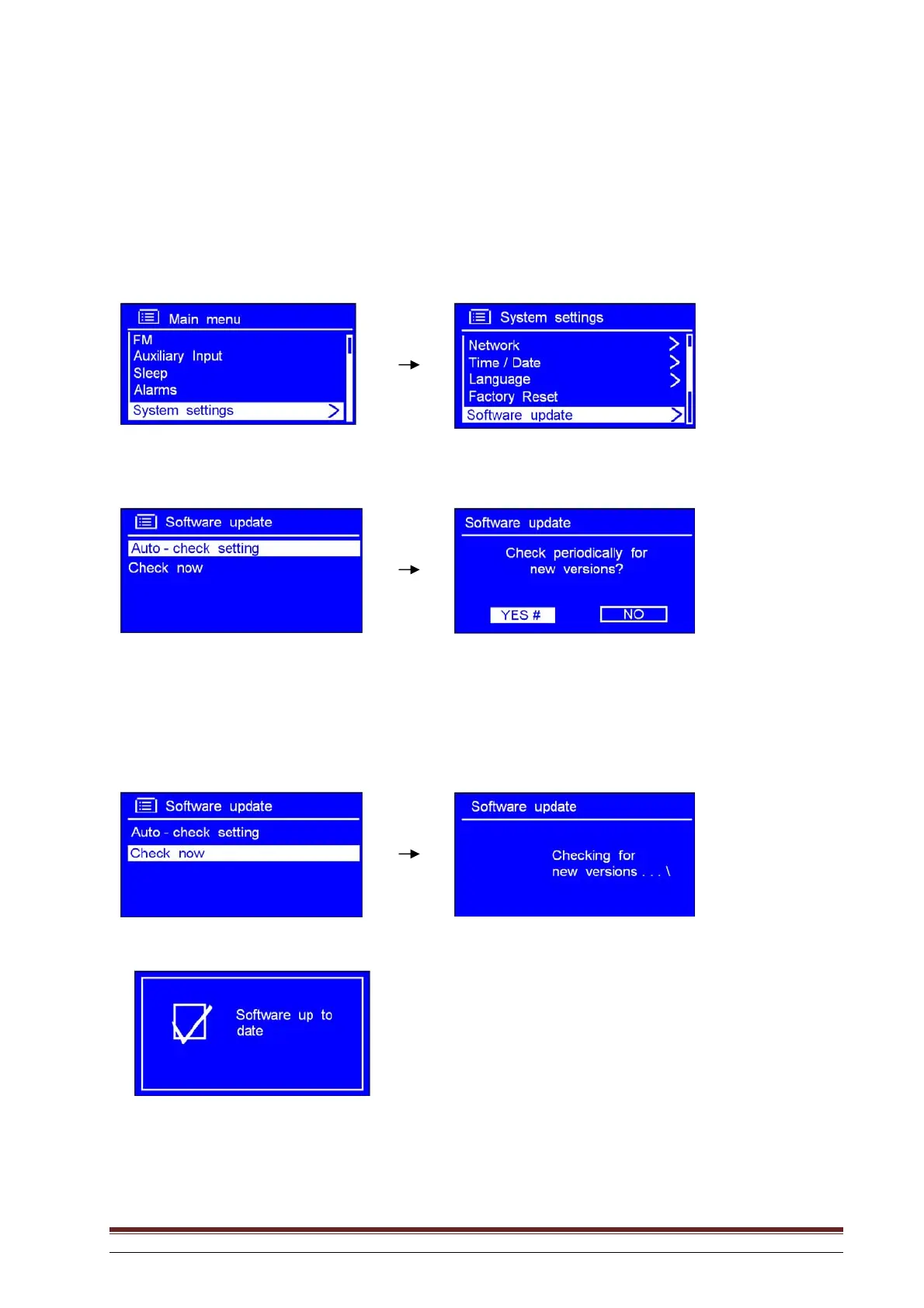
1. This may be activated from Main menu System settings Software update. Press SELECT
to confirm.
2. With the arrow pointing to Auto-check setting, press SELECT to confirm.
3. Rotate the knob or use the arrow keys to highlight YES. Press to confirm and the display will
appear as in Step 2 above.
4. Rotate the knob or use the arrow keys to highlight Check now. Press to confirm.
The following display appears:



 To Next Page