www.pinell.no Page36
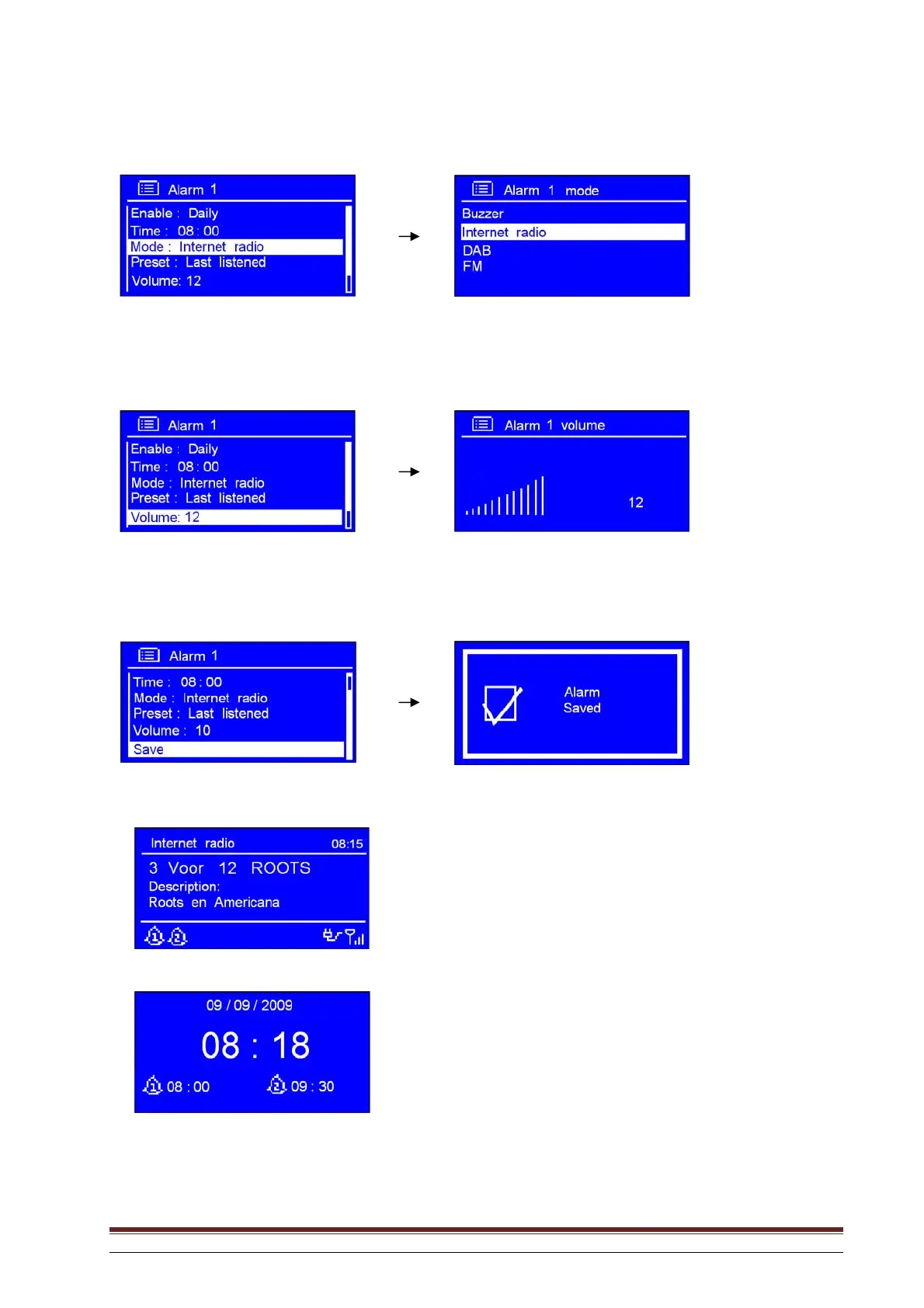
8. Rotate the knob or use the arrow keys to highlight Source: Internet radio. Press to confirm and
turn the knob to the desired alarm mode.
NB: Rotate the knob or use the arrow keys to highlight Preset: Last listened until you hear the desired alarm.
9. Press SELECT to confirm and then turn the knob to Volume: 12. Press to confirm.
10. Rotate the knob or use the arrow keys to set the desired volume. Press to confirm.
11. Finally, rotate the knob to highlight Save. Press to confirm.
The display shows Alarm Saved for three seconds. The alarm icon is displayed.
To check the alarm status, press STANDBY/ON to enter standby mode.



 To Next Page