www.pinell.no Page45
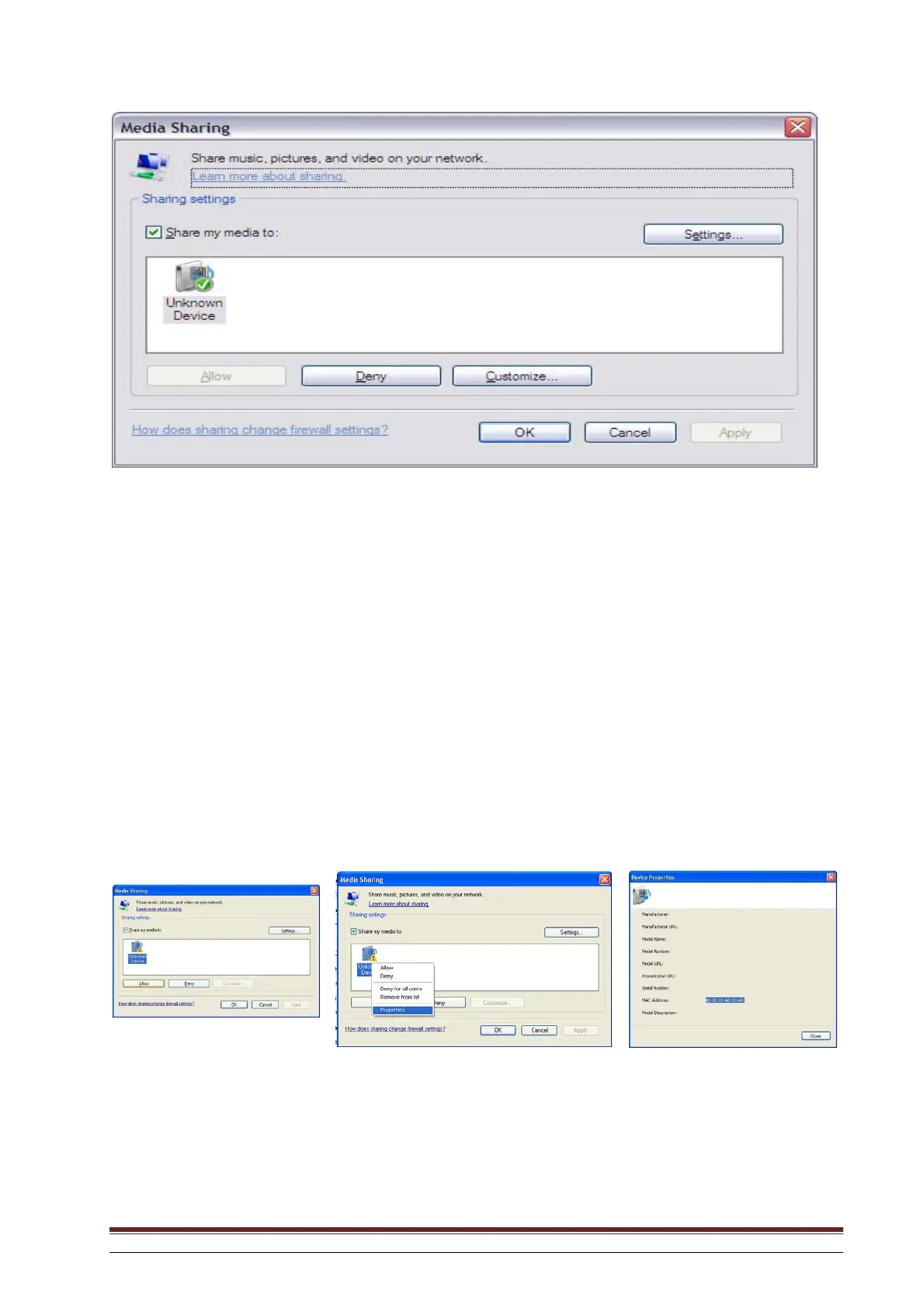
The radio will be shown as “Unknown Device”. Check that the radio has access to the shared medium
by highlighting it and clicking on “Allow”. You may also give the shared medium a name in Settings…
Click on OK to close the dialogue boxes.
The PC will now be ready to stream music to the radio.
* If the device is not displayed in the device list, go through the following steps:
a. From the “Media Player” menu on the Internet radio, select “UPnP Servers” and a list of available
computers will be displayed.
b. Select the desired computer.
The device will now be displayed in the list. If you want to check that this is your radio, right-click on
the device and select “Properties”. The MAC address of the radio will be displayed.



 To Next Page