Before you start
01
11
En
This indicates a product feature that is capable
of playing DVD-RW discs recorded with Video
Recording format.
Note that Pioneer cannot guarantee that discs
recorded using this recorder will play on other players.
*2
‘DVD-Video format’ recording: The use of the DVD-
Video format for recording on DVD-R and DVD-RW discs
is referred to as recording in ‘Video mode’ on Pioneer’s
DVD recorders. Supporting playback of DVD-R / DVD-
RW discs is optional for manufacturers of DVD
playback equipment, and there is DVD playback
equipment that does not play DVD-R or DVD-RW discs
recorded in the DVD-Video format.
Note: ‘Finalization’ is required.
This recorder supports the recording of ‘copy-once’
broadcast programs using the CPRM copy protection
system (see CPRM on page 44) on CPRM-compliant
DVD-RW discs in VR mode. CPRM recordings can only
be played on players that are specifically compatible
with CPRM.
• Do I need two DVD recorders for editing? What kind of
editing can I do?
Unlike editing video tape, you only need one DVD
recorder to edit discs. With DVD, you edit by making a
‘Play List’ of what to play and when to play it. On
playback, the recorder plays the disc according to the
Play List.
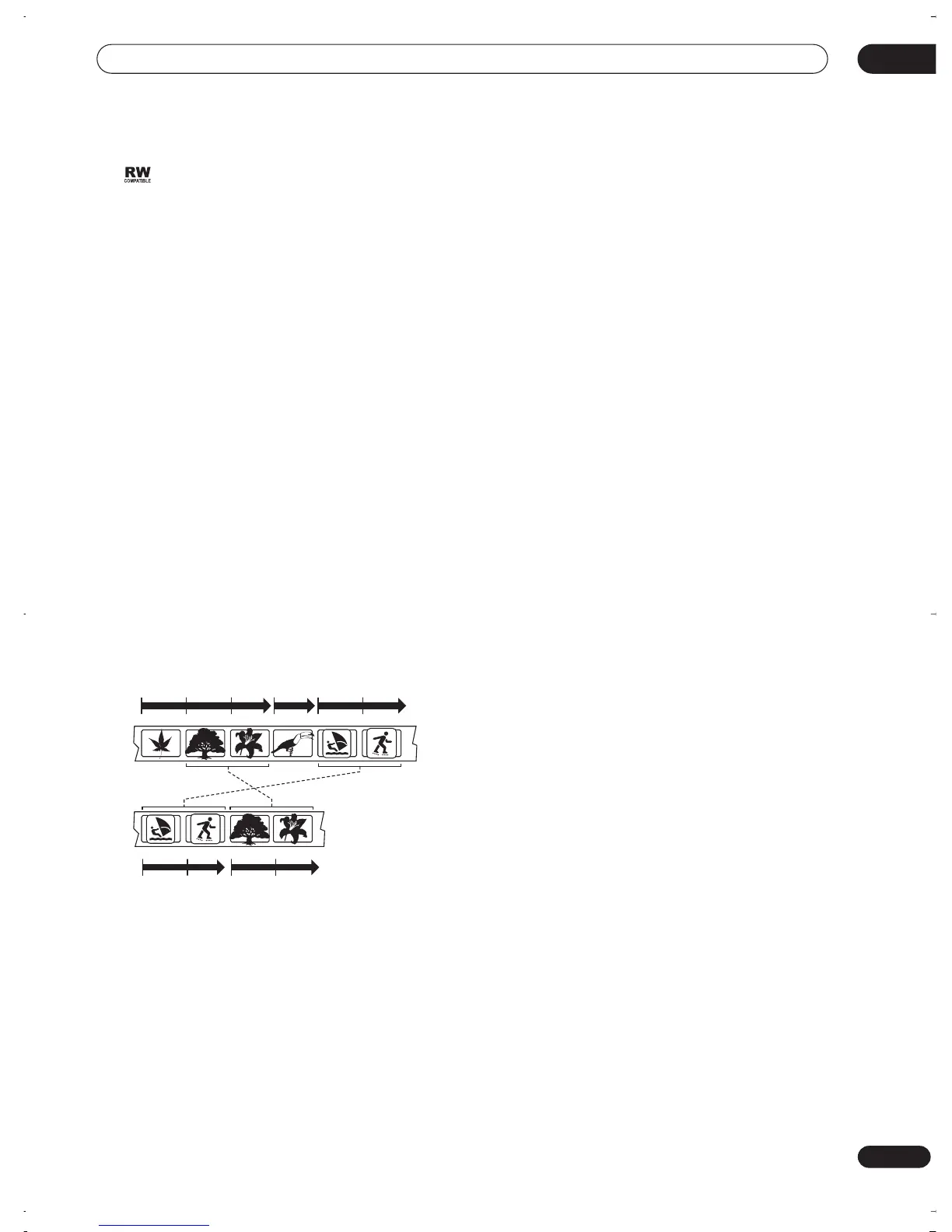
Throughout this manual, you will often see the words
Original and Play List to refer to the actual content and
the edited version.
•
Original
content refers to what’s actually recorded
on the disc.
•
Play List
content refers to the edited version of the
disc—how the Original content is to be played.
Original
Title 1
Play List
Title 2Title 1
Title 3Title 2
Chapter 1 Chapter 1 Chapter 2Chapter 3Chapter 2
Chapter 2Chapter 1Chapter 2
Chapter 1
Chapter 1
DVR-03_RD.book 11 ページ 2003年9月18日 木曜日 午後9時2分



 To Next Page