Playback
05
33
En
Chapter 5
Playback
Introduction
Most of the features described in this chapter make use
of on-screen displays. Navigate these using the
///
(cursor buttons) and
ENTER
. To go back one level
from any screen, use the
RETURN
button. Remember
also that the button guide at the bottom of every screen
shows which buttons do what.
Many of the functions covered in this chapter apply to
DVD discs, Video CDs, Super VCDs, WMA/MP3 discs
and CDs, although the exact operation of some varies
slightly with the kind of disc loaded. The following icons
are provided to help you quickly identify which
instructions you need for which kind of disc.
Any kind of DVD, DVD-R or DVD-RW
Commercially produced DVD or finalized
Video mode DVD-R/RW
Video mode DVD-R/RW (unfinalized)
VR mode DVD-RW
Audio CD
Video CD
Super VCD
WMA or MP3 files
MP3 files
• Some DVD-Video discs don’t allow certain playback
controls to operate at certain points in the disc. This
is not a malfunction.
• When playing Video CDs, some functions, such as
making a program list, are not available in PBC
mode. Stop the disc first, then start playback by
pressing
.
• For discs that contain JPEG picture files, see
The
PhotoViewer
on page 66.
Using the Disc Navigator to browse
the contents of a disc.
Use the Disc Navigator to browse the contents of a disc
and start playback. You can use the Disc Navigator when
a disc is playing or stopped.
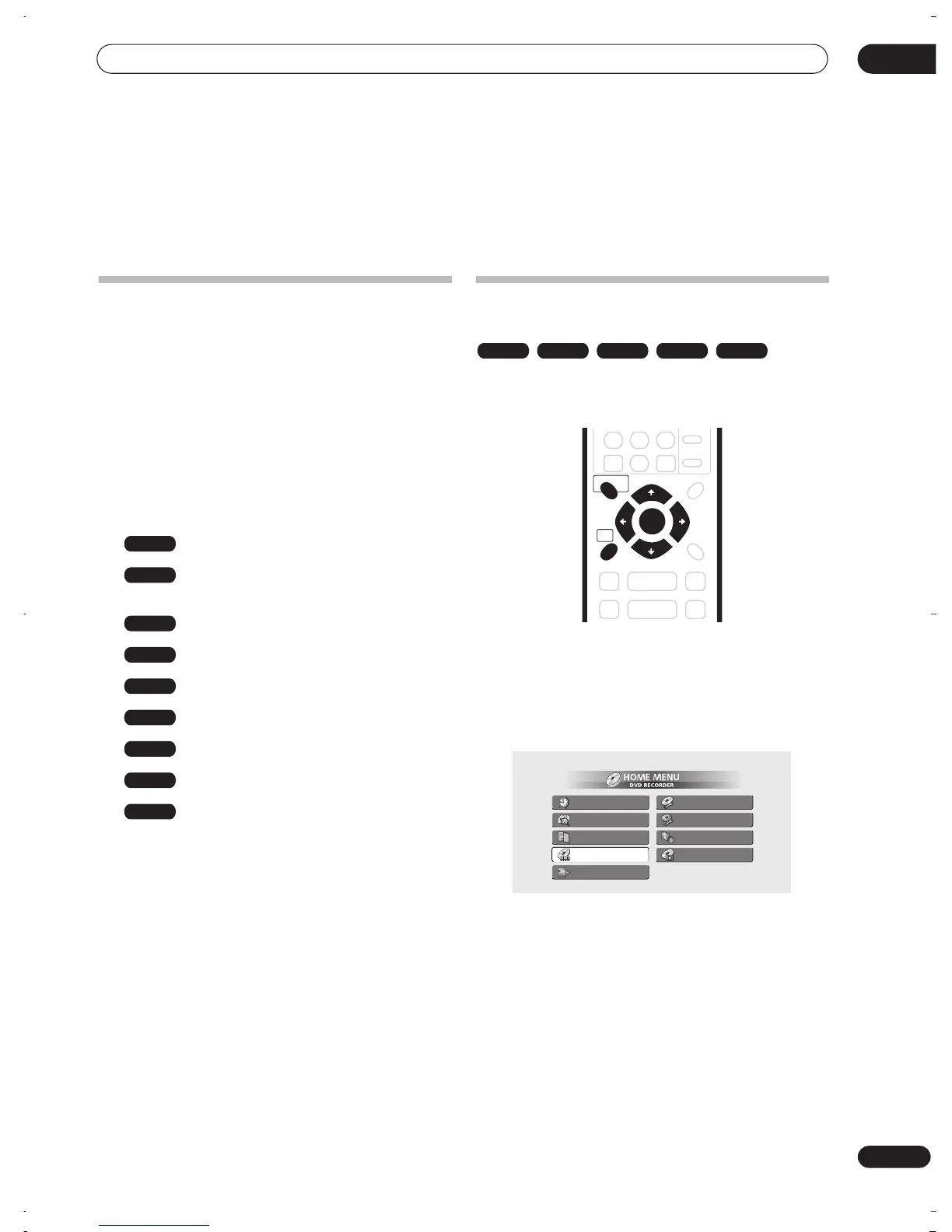
1 Press HOME MENU and select ‘Disc Navigator’
from the on-screen display.
Alternatively, for a CD, Video CD, Super VCD or WMA/
MP3 disc, you can press
DISC NAVIGATOR
(front panel
or remote), which takes you straight to the Disc Navigator
screen.
2 Select what you want to play.
Use the
///
(cursor buttons) to highlight items
and
ENTER
to select.
Depending on the type of disc you have loaded, the Disc
Navigator looks slightly different.
DVD
DVD-Video
Video mode
VR mode
CD
Video CD
Super VCD
WMA/MP3
MP3
DVD-Video CD Video CD Super VCD WMA/MP3
DISC NAVIGATOR
HOME
MENU
ENTER
Timer Recording
Disc History
PhotoViewer
Disc Navigator
DV Record
Disc Setup
Initial Setup
Video/Audio Adjust
Play Mode
DVR-03_RD.book 33 ページ 2003年9月18日 木曜日 午後9時2分



 To Next Page