Getting started
04
26
En
Making your first recording
This quick guide shows you how to make a basic
recording of a TV program to a recordable DVD.
Recording is covered in much more detail in chapter 6
(
Recording
).
1 If they aren’t already on, switch on your TV and
this recorder.
Press
STANDBY/ON
to switch on.
• Make sure that the video input on your TV is set to this
recorder.
2 Press
OPEN/CLOSE to eject the disc tray.
3 Load a blank DVD-R or DVD-RW disc with the
label face-up, using the disc guide to align the disc.
• When you load a new, blank DVD-RW disc, the
recorder will take a moment to initialize it for
recording.
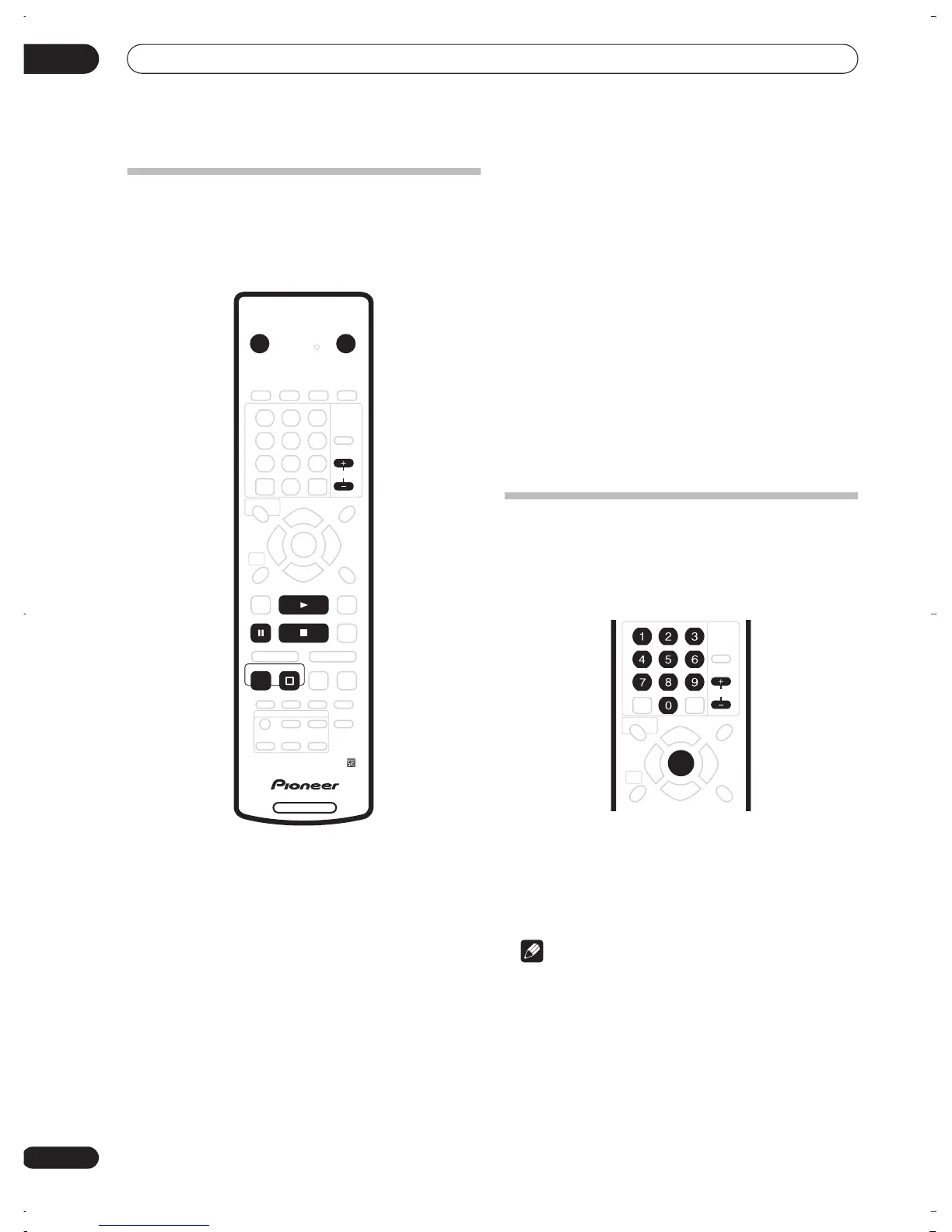
4 Use the CHANNEL +/– buttons on the remote
control or the SMART JOG on the front panel to
select the TV channel you want to record from.
• Channel presets are numbered 1–99.
5 Press
REC to start recording.
• By default, the recording will be in
SP
(standard play)
mode, which will give you around 2 hours of
recording from a blank DVD disc.
• You can pause recording by pressing
PAUSE
.
Press
REC
or
PAUSE
again to restart recording.
6 When you want to stop recording, press
STOP REC.
Playing back your recording
The TV program you just recorded should be on the DVD
disc as a single title with one or more chapters.
• Press
PLAY to start playback.
If you want to stop playback before the end of the
recording, press
STOP
.
Using the built-in TV tuner
Changing TV channels
When no disc is playing, you can change TV channels in
three different ways:
•
CHANNEL +/–
buttons on the remote
•
Number buttons
on the remote – For example, to
select channel 4, press
4
then
ENTER
; for channel 34,
press
3
,
4
,
ENTER
.
•
SMART JOG
on the front panel
Note
• Channel presets are numbered 1–99.
• You can’t change TV channels during playback or
recording, or while in recording standby.
DVD RECORDER
STANDBY/ON
OPEN/CLOSE
CHANNEL
REC
STOP
PLAY
STOP REC
DVR-03_RD.book 26 ページ 2003年9月18日 木曜日 午後9時2分



 To Next Page