Additional information
13
89
En
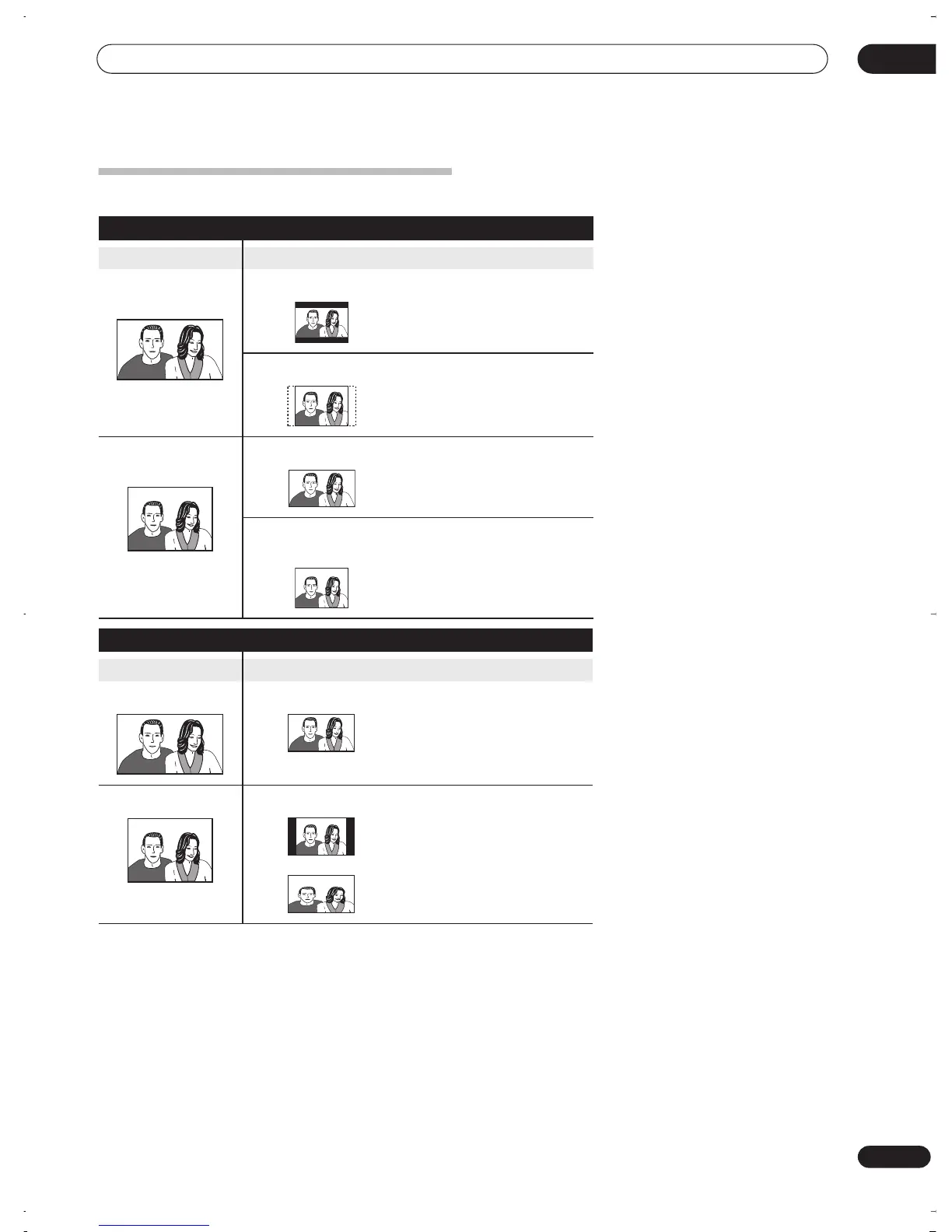
Screen sizes and disc formats
When viewing on a standard TV or monitor
Screen format of disc Setting Appearance
16:9 4:3 (Letter Box)
The program is shown in
widescreen with black bars at
the top and bottom of the
screen.
4:3 (Pan & Scan)
The sides of the program are
cropped so that the picture
fills the whole screen.
4:3 16:9
The program appears
squashed. Set to either
4:3
(Letter Box)
or
4:3 (Pan &
Scan)
.
4:3 (Letter Box)
4:3 (Pan & Scan)
The program is presented
correctly on either setting.
When viewing on a widescreen TV or monitor
Screen format of disc Setting Appearance
16:9 16:9
The program is presented in
widescreen.
4:3 16:9
Your TV will determine how the
picture is presented—check
the manual that came with the
TV for details.
DVR-03_RD.book 89 ページ 2003年9月18日 木曜日 午後9時2分



 To Next Page