Editing
07
56
En
Chapter 7
Editing
Using the Disc Navigator you can edit video content on unfinalized Video mode and VR mode DVD discs. The editing
features available in the Disc Navigator depend on whether you are editing video on a Video mode or VR mode DVD,
and whether you’re editing Original content, or a Play List.
With unfinalized Video mode DVDs, there are a limited number of editing commands, including naming, locking and
erasing titles. Once a Video mode disc has been finalized, further editing is not possible. You can still use the Disc
Navigator to select titles for playback, however (see
Using the Disc Navigator to browse the contents of a disc.
on
page 33).
There are two ways to edit VR mode DVD-RW discs. You can directly edit the Original content of the disc, or you can
create and edit a Play List. The Play List doesn’t actually change any of the content on the disc, but just controls how
the content is played back (rather like the program play feature found on CD players).
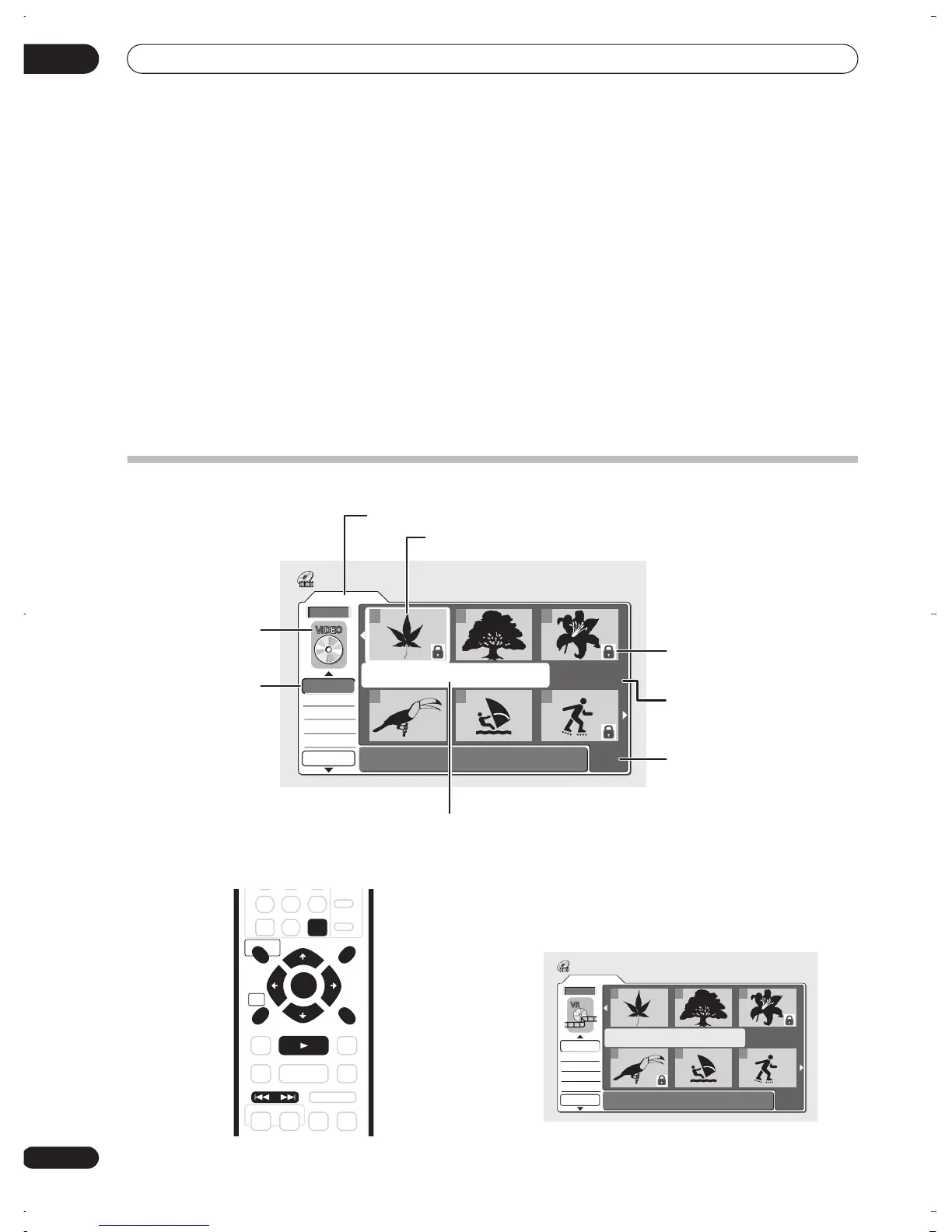
The Disc Navigator screen
1 Press DISC NAVIGATOR to display the Disc
Navigator screen.
Playback should be stopped when you do this.
Video Mode
1/1
12:30 Wed 4/11 Pr 5 LP
Recording Time 0h30m40s
Undo
DVD
123
456
Disc Navigator
Play
Erase
Ttl Name
Lock
All Erase
DVD Remain
0h37m(FINE)
Edit mode
Disc Navigator
menu options
Disc recording
mode
Number of title
pages
Locked title
indicator
Information for
selected title
Recording time
available in the displayed
recording mode
Currently selected title
RETURN
DISC NAVIGATOR PLAY LIST
HOME
MENU
ENTER
CLEAR
PREV
PLAY
NEXT
Original
1/1
Undo
DVD
123
456
Disc Navigator
Play
Erase
Ttl Name
Chpt Edit
DVD Remain
0h37m(FINE)
DVR-03_RD.book 56 ページ 2003年9月18日 木曜日 午後9時2分



 To Next Page