Editing
07
57
En
• You can also access it from the Home Menu (press
HOME MENU
, select
Disc Navigator
then press
ENTER
)
• When selecting titles, use the
PREV
(
) and
NEXT
(
) buttons to display the previous/next page if
there are more than six titles.
• If you are editing a VR mode disc, press
PLAYLIST
to
switch between Original and Play List Disc Navigator
screens.
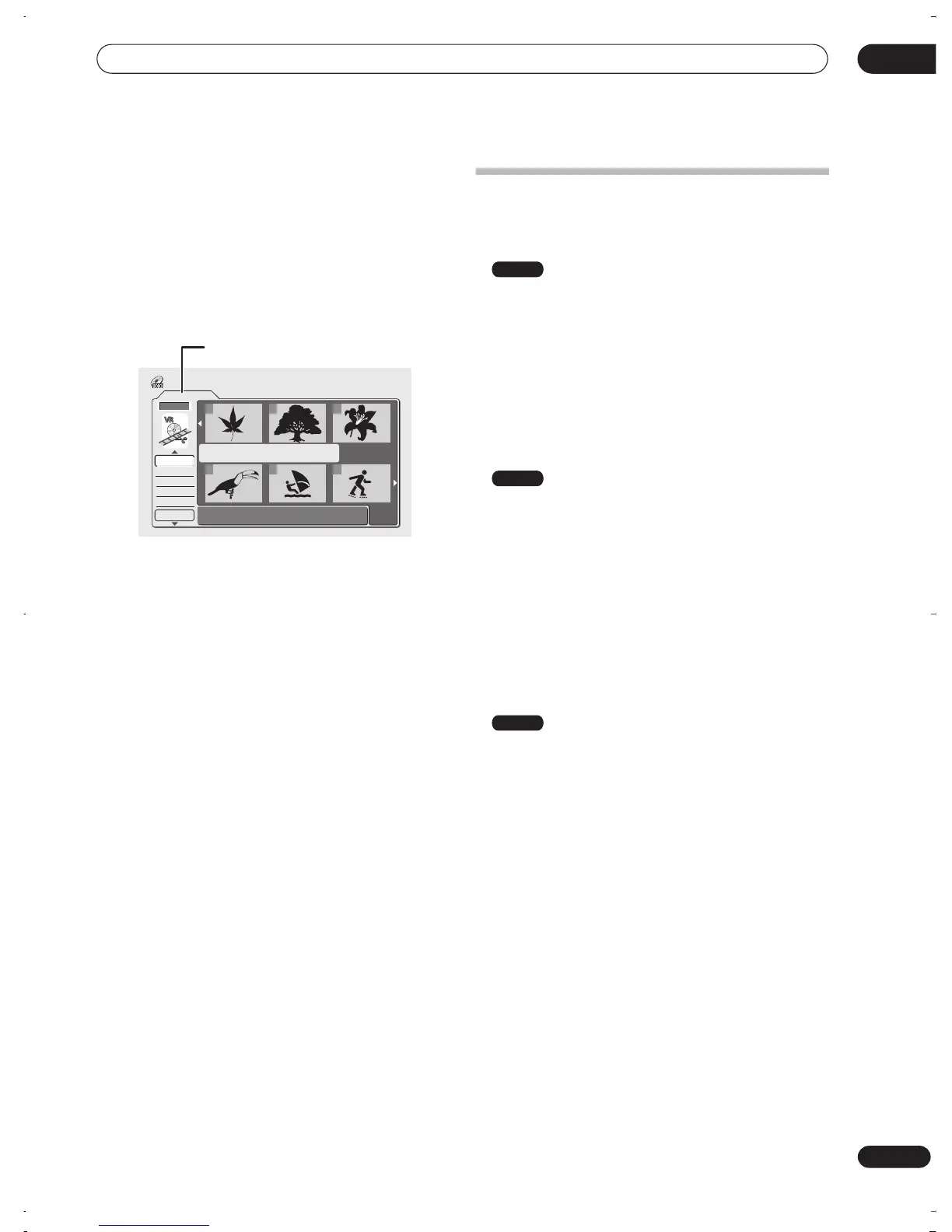
On the left side of the screen are the Disc Navigator
menu options. The main part of the screen shows
thumbnails of the titles on the disc. You can change
these thumbnails using the
NAVI MARK
button—see
Changing the thumbnail picture for a title
on page 34.
In the center is displayed information on the currently
selected title. Press
DISPLAY
to change the information
displayed.
Use the
/
(cursor up/down) buttons to highlight a
menu option, then press
ENTER
. Depending on the menu
option, you might have to select a title. Use the
///
(cursor buttons) followed by
ENTER
to select a title.
2 To exit the Disc Navigator, press HOME MENU
.
Disc Navigator menu options
The commands available from the Disc Navigator for
different disc types is shown below.
•
Play
– Play a title (page 58)
•
Title Name
(
Ttl Name
) – Name or rename a title
(page 58)
•
Lock/Unlock
– Lock or unlock a title to prevent
accidental changes being made (page 60)
•
Erase
– Erase a title (page 58)
•
Erase All
– Erase all titles (page 61)
•
Undo
– Undo the last change (page 61)
(Original)
•
Play
– Play a title (page 58)
•
Title Name
(
Ttl Name
) – Name or rename a title
(page 58)
•
Lock/Unlock
– Lock or unlock a title to prevent
accidental changes being made (page 60)
•
Erase
– Erase a title (page 58)
•
Erase All
– Erase all titles (page 61)
•
Undo
– Undo the last change (page 61)
•
Chapter Edit
(
Chpt Edit
) – Make detailed changes to
chapters in a title (page 59)
(Play List)
•
Create
– Make a new Play List title (page 63)
•
Chapter Edit
(
Chpt Edit
) – Make detailed changes to
chapters in a Play List title (page 62)
•
Move
– Move the position of a title in the Play List
(page 63)
•
Erase All
– Erase all titles in the Play List (page 64)
•
Undo
– Undo the last change (page 64)
•
Play
– Play a title (page 61)
•
Erase
– Erase a title from the Play List (page 61)
•
Title Name
(
Ttl Name
) – Name or rename a title in
the Play List (page 62)
•
Combine
– Combine two Play List titles into one
(page 64)
•
Divide
– Divide a Play List title into two (page 64)
Play List
1/1
Undo
DVD
123
456
Disc Navigator
Play
Erase
Ttl Name
Chpt Edit
DVD Remain
0h37m(FINE)
Playlist / Original indicator
Video mode
VR mode
VR mode
DVR-03_RD.book 57 ページ 2003年9月18日 木曜日 午後9時2分



 To Next Page