Controls and displays
03
19
En
Chapter 3
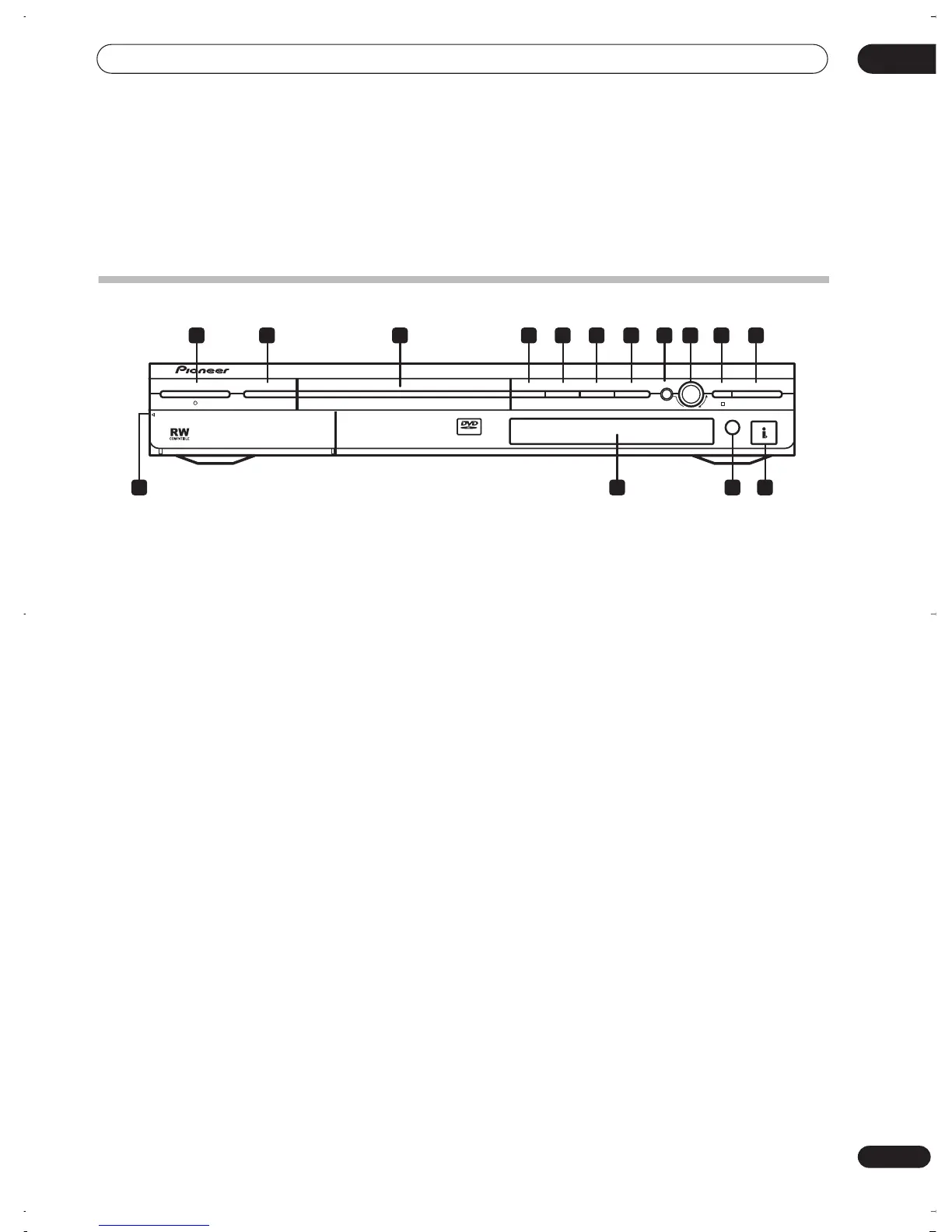
Controls and displays
Front panel
1
STANDBY/ON
Press to switch the recorder on/into standby.
2 DISC NAVIGATOR
(page 33, 56)
Press to directly access the Disc Navigator screen.
3 DVD disc tray
4
OPEN/CLOSE
Press to open/close the disc tray.
5
STOP
Press to stop playback.
6
PAUSE
Press to pause/restart playback or recording.
7
PLAY
Press to start or restart playback.
8 FUNCTION
Press repeatedly to set the function of the
SMART JOG
dial. The function is shown in the display.
9 SMART JOG dial
10
STOP REC
Press to stop recording.
11
REC
Press to start recording.
12 Front panel inputs
(page 12)
Pull the cover down where indicated to access the front
panel input jacks. Especially convenient for connecting
camcorders and other portable equipment.
13 Front panel display
See
Display
on page 20 for details.
14 IR remote sensor
(page 8)
15 DV IN/OUT jack
(page 12)
Digital input/output jack for use with a DV camcorder.
VIDEO/R/RW
STANDBY/ON OPEN/CLOSE STOP PAUSE PLAY STOP REC
FUNCTION
REC
DV IN/OUT
DISC NAVIGATOR
PULL
–
OPEN
1 2 3 4 5 6 7 8 9 10 11
15141312
DVR-03_RD.book 19 ページ 2003年9月18日 木曜日 午後9時2分



 To Next Page