Getting started
04
30
En
Using the Home Menu
From the Home Menu screen you can access all the
features of the recorder. Press
HOME MENU
to display
the Home Menu screen:
Use the
///
(cursor) buttons followed by
ENTER
to select the option you want. To exit the Home Menu,
press
HOME MENU
.
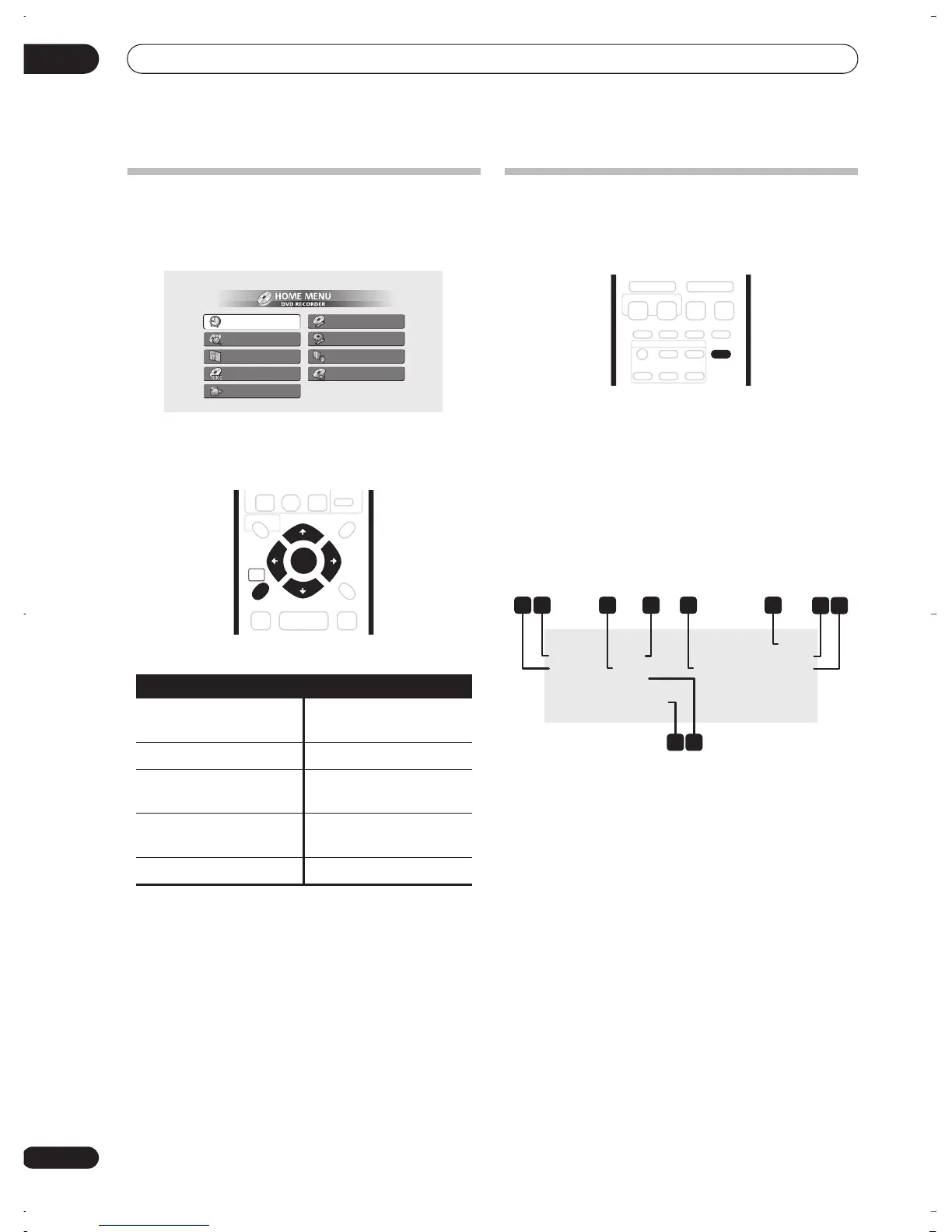
Displaying disc information on-
screen
You can display various on-screen information about the
disc loaded.
1 Press DISPLAY repeatedly to display/change the
on-screen information.
• The on-screen display automatically disappears after
150 minutes.
2 To hide the information display, press DISPLAY
repeatedly until it disappears.
The example displays below are a guide only; actual
displays vary according to the disc loaded, etc.
Stop display 1
1 DVD-RW Original / Play List
If a VR mode disc is loaded, this shows whether playback
is currently set to
Original
or
Play List
.
2 Disc type and mode
Shows the disc type (
DVD-R
,
DVD-RW
,
CD
, etc.), and the
disc mode for recordable DVD, if applicable (
VR
or
Video
).
3 Recording mode and time
Shows the current recording mode (
FINE
,
SP
,
LP
, etc.),
and the total recording time of the disc.
4 Resume
Shows
Resume
if playback can be resumed from the last
place stopped.
5 Recording time remaining
Shows the approximate recording time left on the disc in
the current recording mode.
6 Preset name and number
Shows the preset name and preset number for the
currently selected channel.
Home menu options
Timer Recording
(page 46)
Disc Setup
(page 68)
Disc History
(page 65)
Initial Setup
(page 73)
PhotoViewer
(page 66)
Video/Audio Adjust
(page 70)
Disc Navigator
(page 33,
page 56)
Play Mode
(page 38)
DV Record
(page 52)
Timer Recording
Disc History
PhotoViewer
Disc Navigator
DV Record
Disc Setup
Initial Setup
Video/Audio Adjust
Play Mode
HOME
MENU
ENTER
Stop
DVD-RW VR
Original
Disc Name : Comedy shows
Finalized
Resume
FINE (1h00m/DVD)
Rem. 0h35m Copy Once
Stereo
ABC Pr 1
1 2
87
109
3 64 5
DVR-03_RD.book 30 ページ 2003年9月18日 木曜日 午後9時2分



 To Next Page