Recording
06
47
En
3 Use
///
(cursor buttons) to move the
cursor to the recording start date and time on the
grid.
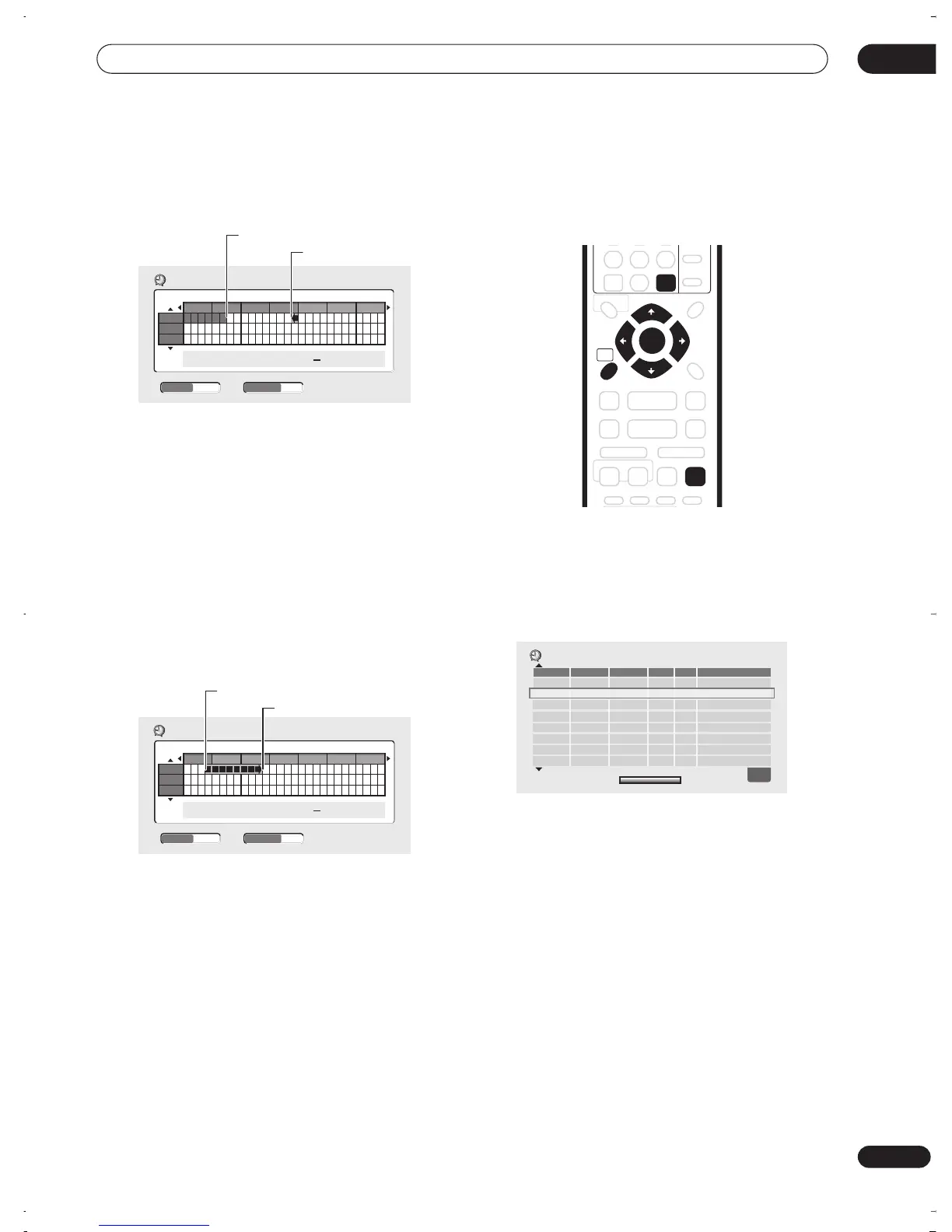
Each row of the grid is one day (you can set the timer
recording for up to a month in advance). Each column is
a 15 minute interval.
The darker area represents time that has already passed
and can’t therefore be selected. The lighter area is time
that’s available.
4 Press ENTER to set the start time.
The start date and time is displayed in the middle of the
screen.
• You can go back and reset the start time if you need
to by pressing
RETURN
.
5 Use the
/
(cursor left/right) to move the
cursor to the recording end time on the grid.
As you move the cursor around the grid, an arrow
stretches from the start time to the current cursor
position, representing the length of the recording. A
recording of up to 6 hours can be set.
6 Press ENTER to set the end time and exit the
timer recording screen.
• You can check the timer program you just set from
the main timer recording screen (see
Standard timer
recording
on page 47).
Standard timer recording
The timer recording screen you can see all the timer
programs already set, clear programs and set up new
ones.
1 Press TIMER REC to display the Timer Recording
screen.
You can also access the Timer Recording screen from
the Home Menu (press
HOME MENU
, select
Timer
Recording
, then
Timer Recording (View)
).
This screen shows all the timer programs currently set.
• The amount of free space available on the currently
loaded recordable DVD is shown towards the bottom
of the screen.
• In the lower-right corner, the number of timer
programs already set is shown.
• Each row is for one timer recording program, with the
date and time information, frequency, channel,
recording mode and whether there’s enough space
to record.
• If there are more than eight timer programs already
set, press
NEXT
to switch page (go back using
the
PREV
button).
• You can also clear a timer program by highlighting it
and pressing
CLEAR
.
Easy Timer Recording
8:00 9:00 10:00 11:00 12:00 13:00 14:00
13/12
14/12
15/12
11:45
FINEPr 7
13/12
WED
Current time
Recording start time
- -:- -
CHANNEL
+
/
–
REC MODE
Easy Timer Recording
11:00 12:00 13:00 14:00 15:00 16:00 17:00
13/12
14/12
15/12
11:45 13:45
FINEPr 7
13/12
WED
Recording start time
Recording end time
CHANNEL
+
/
–
REC MODE
HOME
MENU
ENTER
CLEAR
TIMER REC
WED
13/12
7:00 8:00 Pr 3
SP
OK
Date Start Stop CH
Mode
Result
Timer Recording
New Input
DVD Remain
1h00m(FINE)
1/1
DVR-03_RD.book 47 ページ 2003年9月18日 木曜日 午後9時2分



 To Next Page