User’s Manual of IMG-2x00T Modbus Gateway Series
4.3 Accessible IP
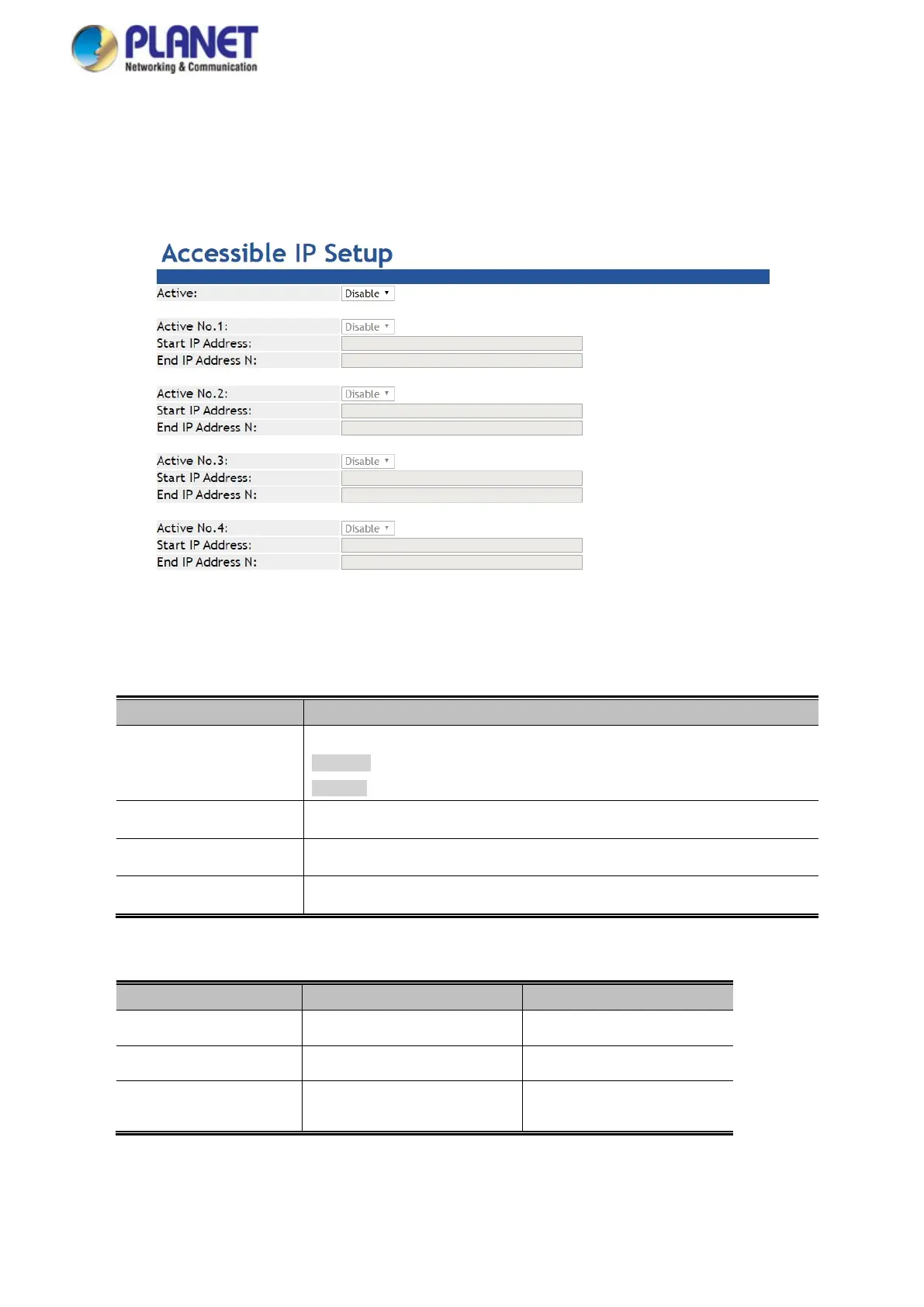
This page provides the specified IP address to connect with Modbus Gateway. When the list of accessible IP is enabled, only IP
address in the list can connect to device. When the function is disabled, there is no such restriction. The list allows user to
configure up to four IP groups. The accessible IP setup screen in Figure 4-3-1 appears.
Figure 4-3-1: Accessible IP Setup Page Screenshot
The page includes the following fields:
Object Description
• Active
Configure the accessible IP list. Possible modes are:
Disabled: Disable accessible IP lists.
Enabled: Enable accessible IP lists.
• Activate NO
Enable or disable activated IP groups.
• Start IP Address
Enter the IP address for starting.
• End IP Address N
Enter the IP address for ending
Example
Allowed hosts Start: IP Address setting End: IP Address N
• Any host
disable disable
• 192.168.0.120
192.168.0.120
• 192.168.0.1 to
192.168.0.254
192.168.0.1 192.168.0.254



 To Next Page
 Loading...





