1
22
Turn the Copier off.
Note
Keep the Booklet Maker powered on.
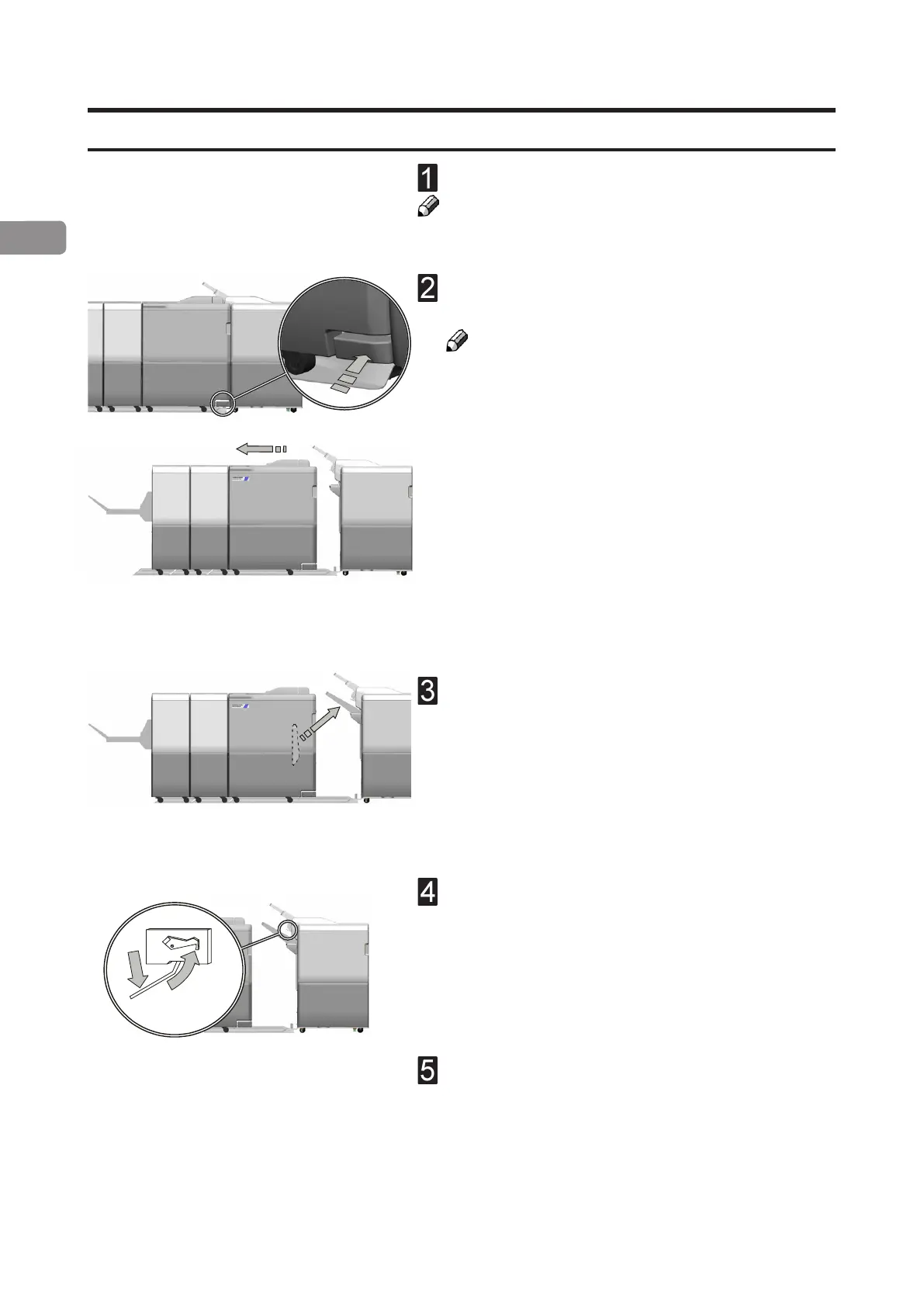
Push in the latch on the docking assembly and
move the Booklet Maker away from the Copier.
Note
Be careful not to damage the communication cable
Take the Exit tray from the shelf on the Booklet
Maker, and install it on the Finisher.
Lift up the Exit arm catcher and move the Exit
paper arm to the lower position.
Turn the Copier on.
The Copier is now in standard Copier mode.
Undocking the Booklet Maker



 To Next Page