1
24
Change staple cartridges and Check stapler
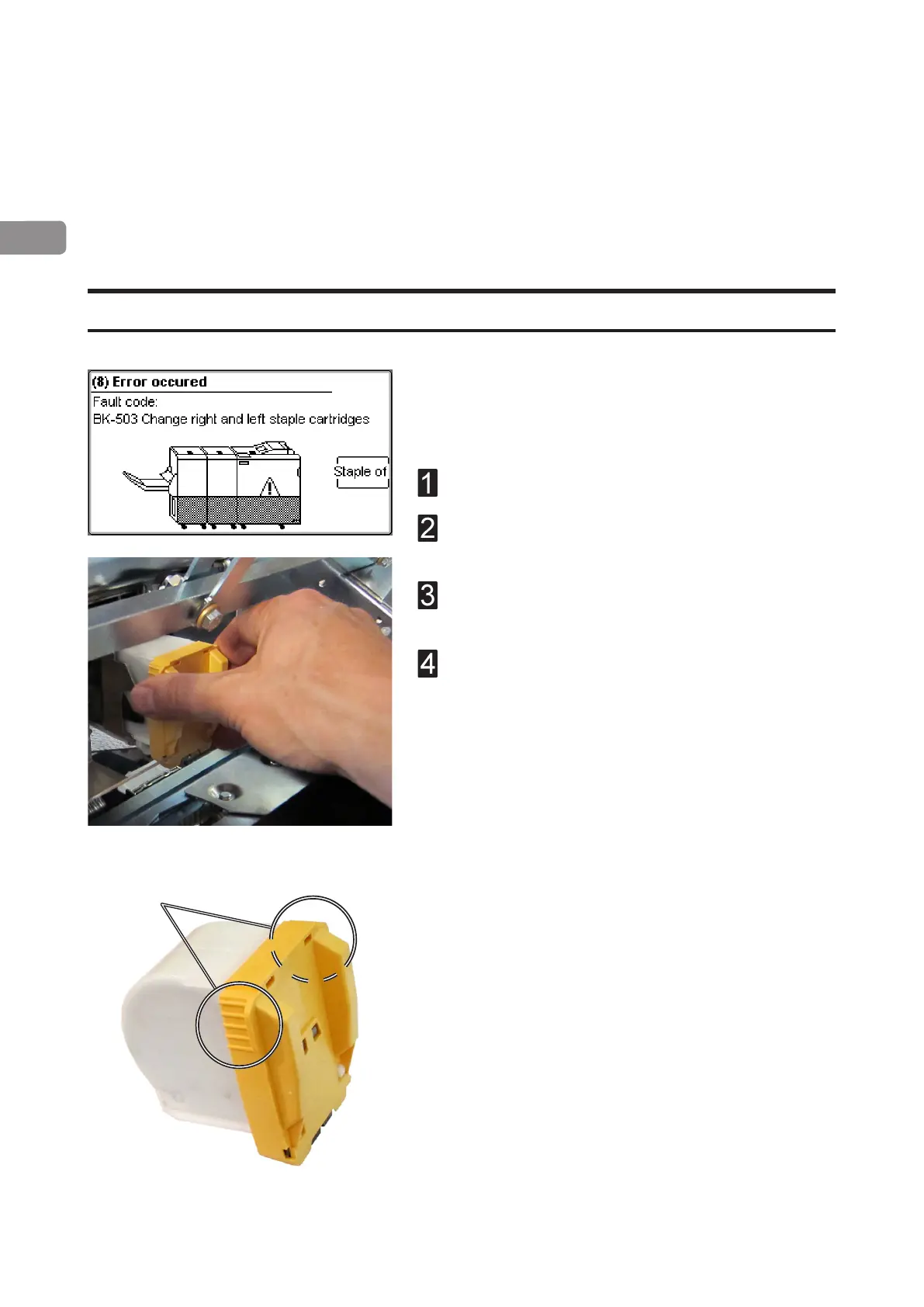
The booklet maker will indicate “Change left/right/
left and right staple cartridges” when there is app.
20 staples left in the stapler cartridge. Replace the
indicated staple cartridge by doing the following:
Open the booklet maker top cover.
Pull out the staple cartridge using the grip [A] at
both sides at the top of the staple cartridge.
Renew by pushing a new staple cartridge into
stapler until it snaps in position.
Close booklet maker top cover and restart the job.
Change left/right staple cartridge(s)
The staple cartridges contains approximately 5000 staples each. Each cartridge includes
all wear-out and service parts (i.e. the stapler head). The cartridges may be removed ei-
ther for renewal or for jam clearance.
[A]



 To Next Page